IT
Equipment, accounts and access, broken printers and phishing reports - with the incident's priority set by impact and urgency.
Service Desk
Staff ask IT, HR, finance or the office through one portal. The request lands in the department's queue, someone takes it, and the reporter knows where it stands without chasing anyone.
How it goes today
The Service Desk puts every request in one place, in the queue of the department that handles it, with a due time counted from its priority.
From asking to done
The same four steps whether it is a new monitor, a certificate from HR or a refund from finance.
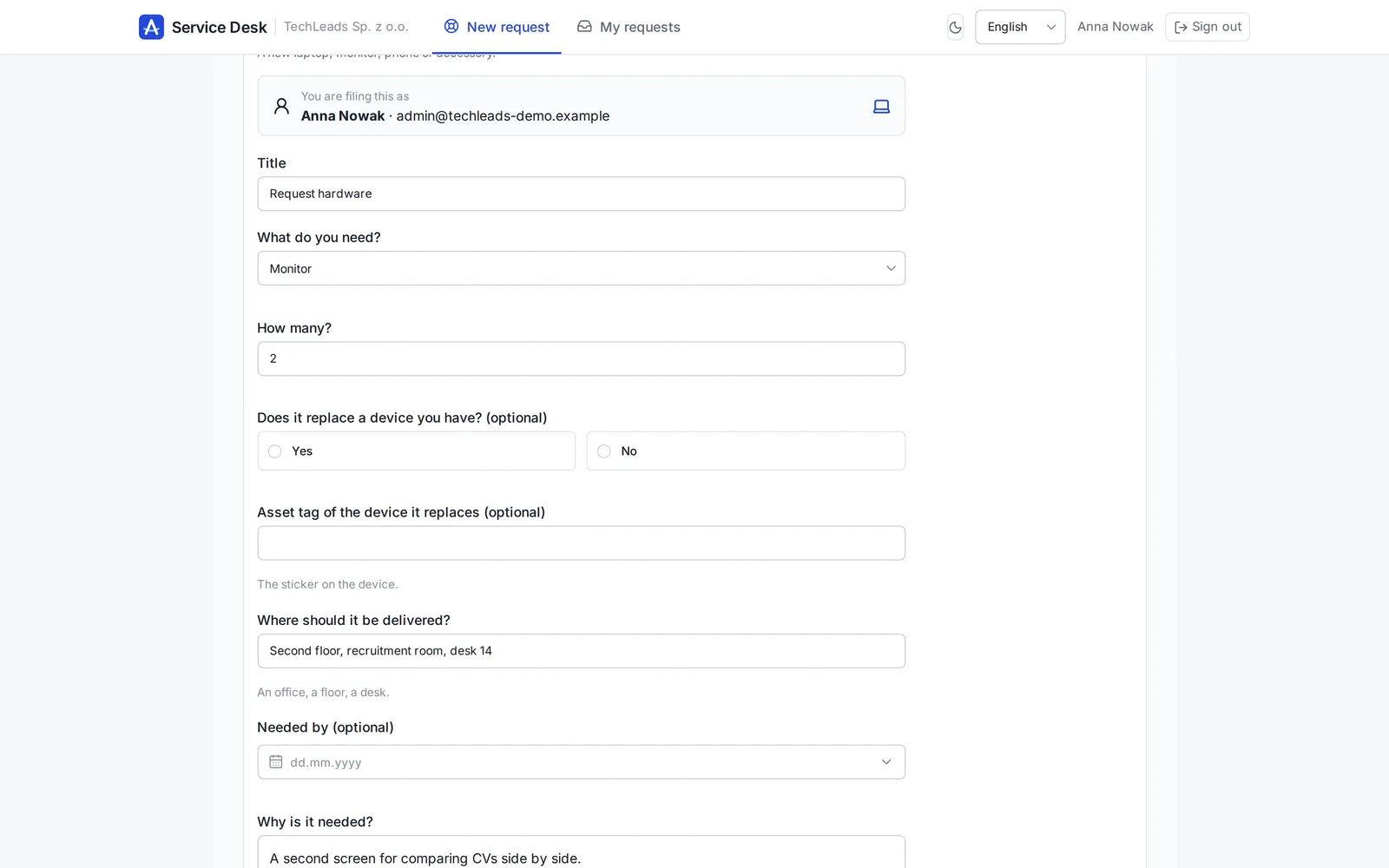
The employee picks a tile on the portal, answers its questions and sends. The request gets a number like IT-2026-00042.
It lands in the department's queue with a priority and a due time: 168, 72, 24 or 4 hours.
An agent takes it or the lead assigns it. Questions, files and status changes stay on the request.
Resolved or rejected with a reason. The reporter gets an e-mail at every important step.
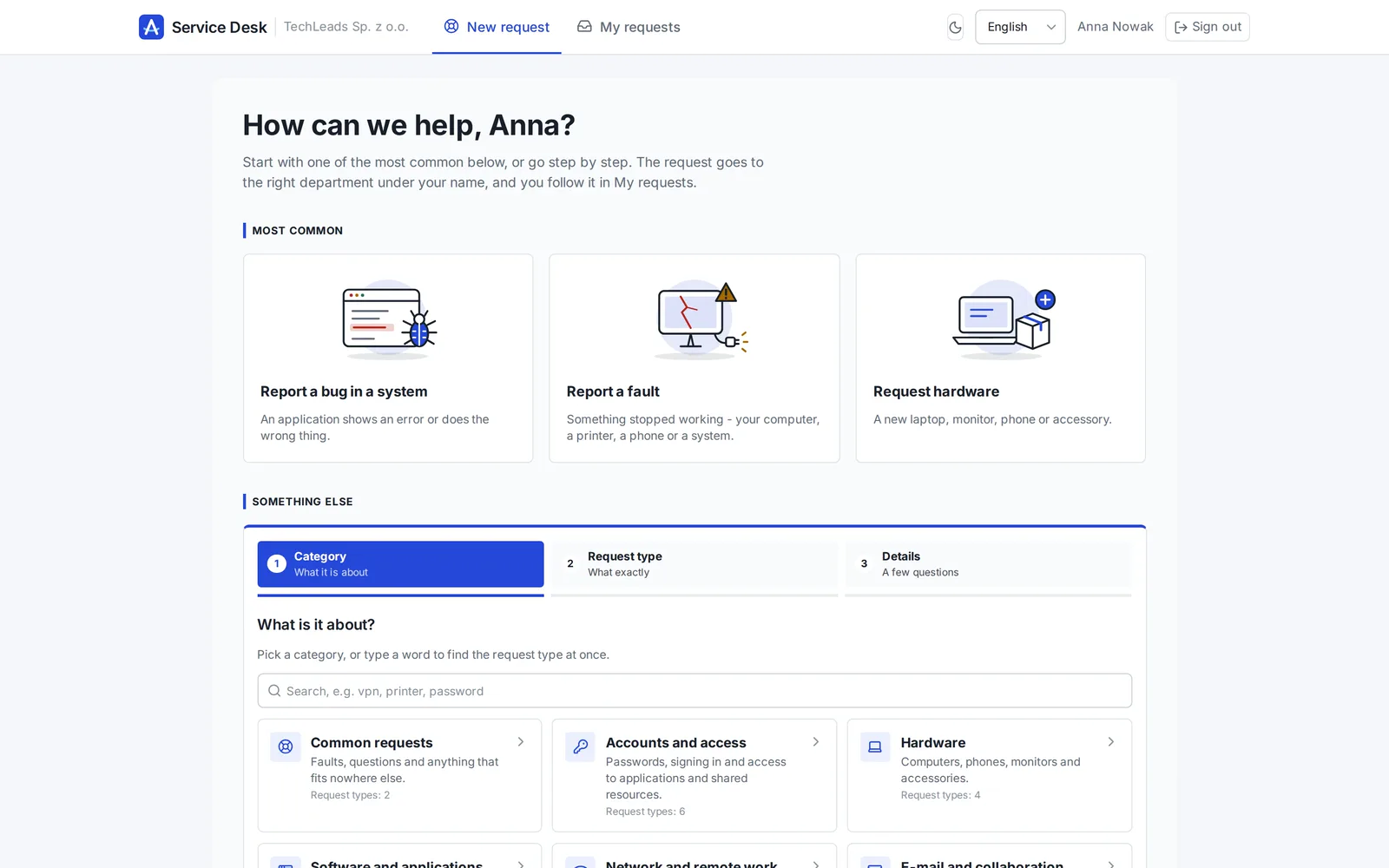
The portal
Tiles grouped by category, with a search. Each tile asks only what the department needs to act.
The department's queue
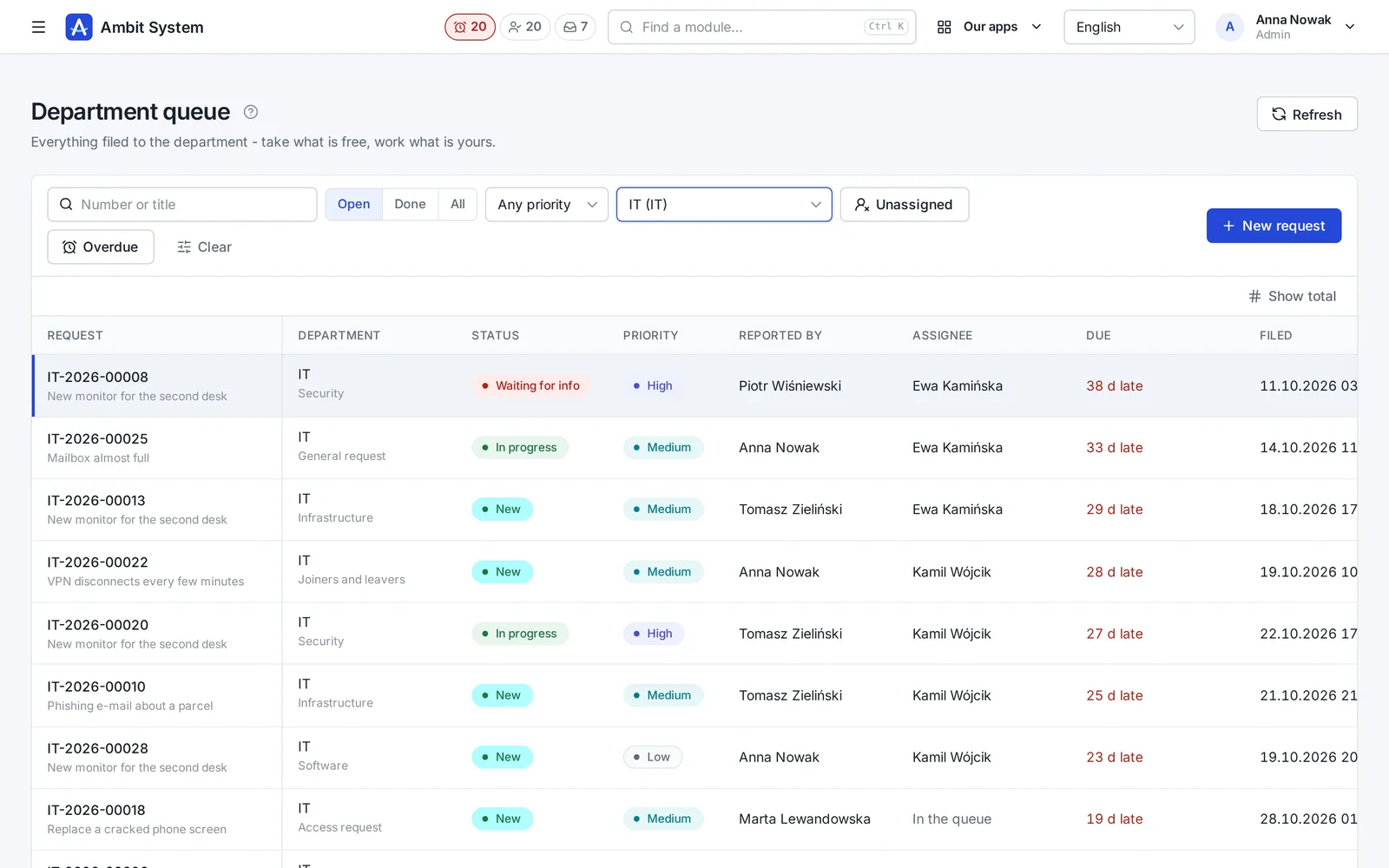
The department sees everything filed to it - what is free, what is late, who works on what.
My tasks
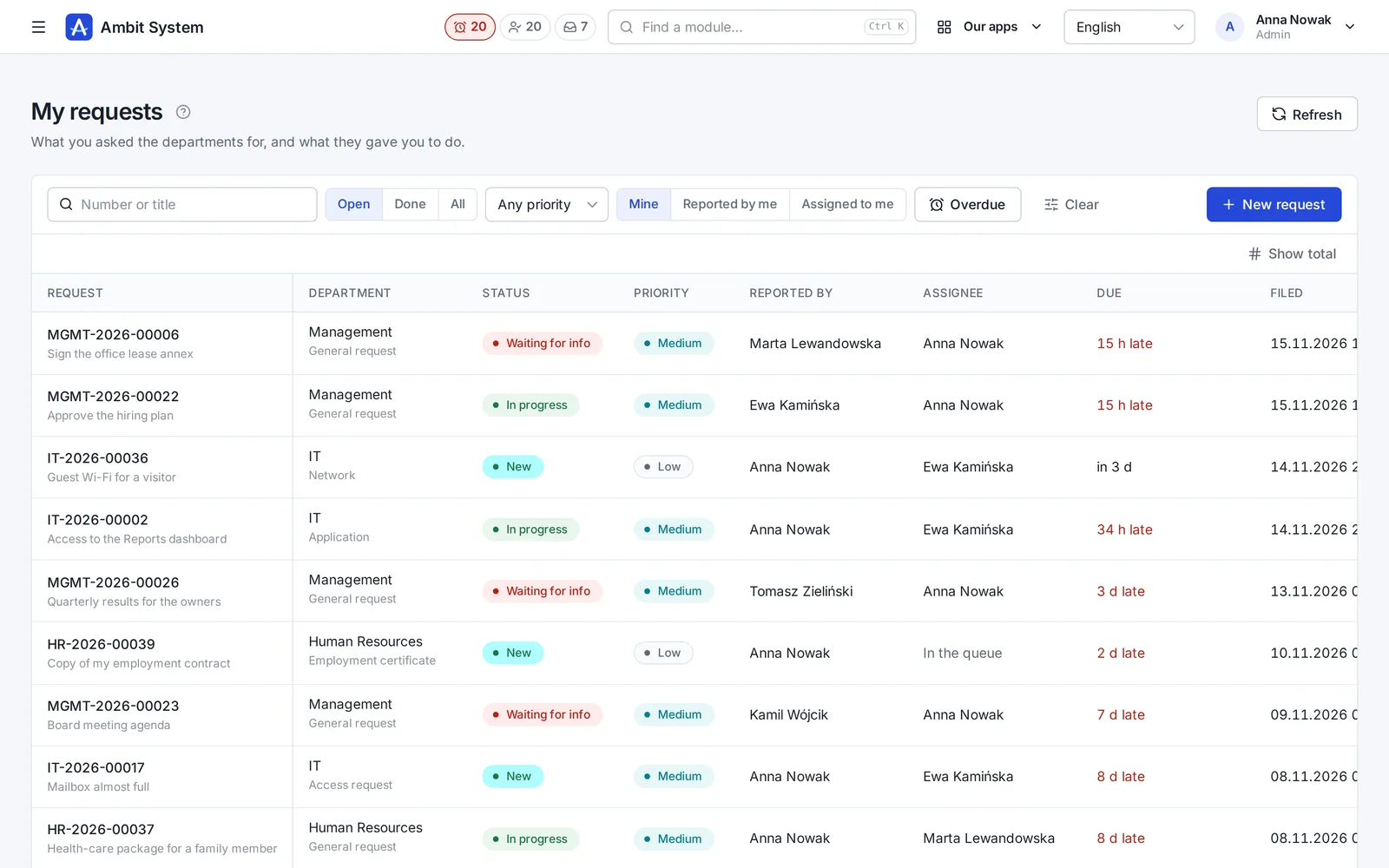
Counters in the top bar tell an agent what needs them now, wherever they are in the system.
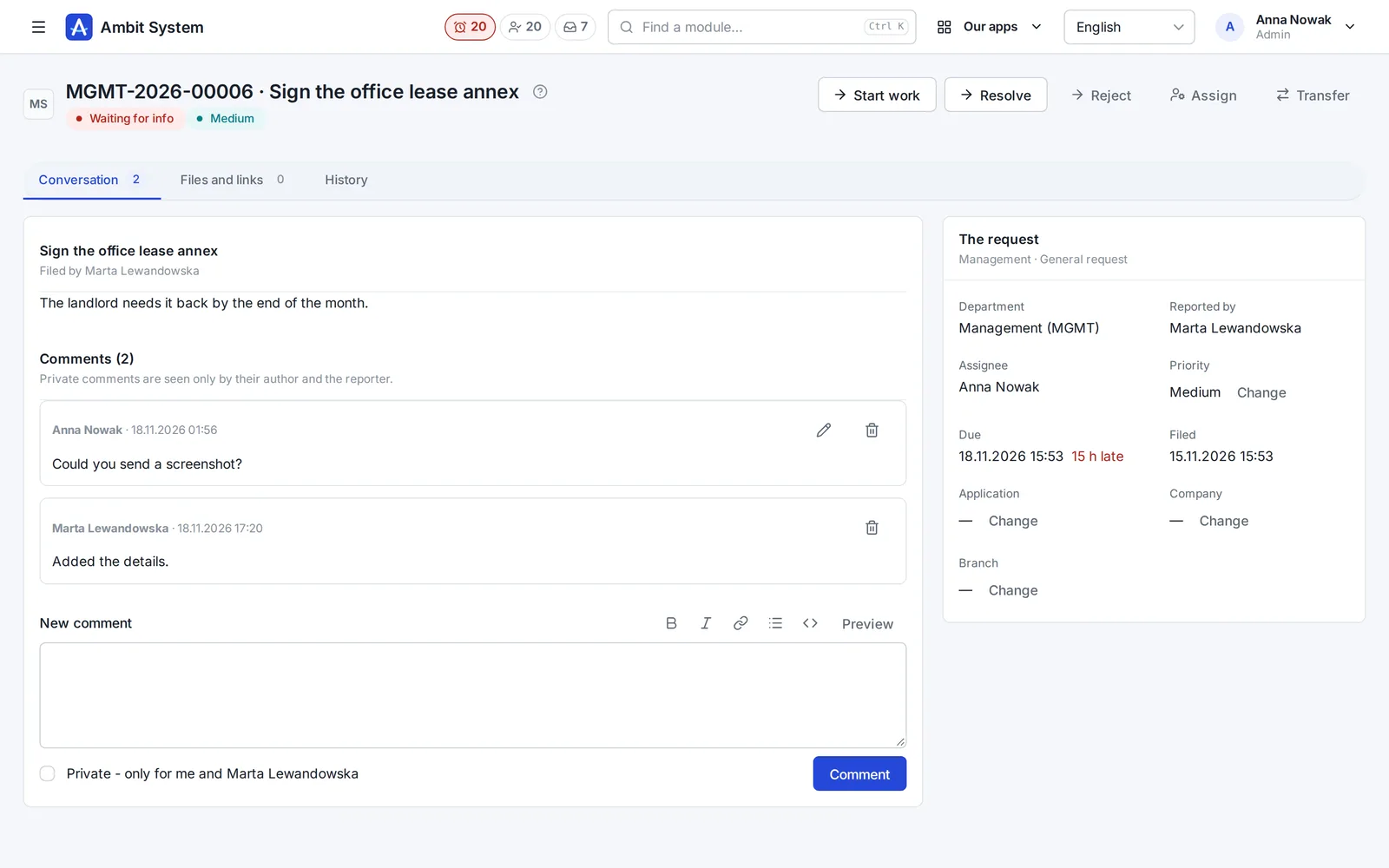
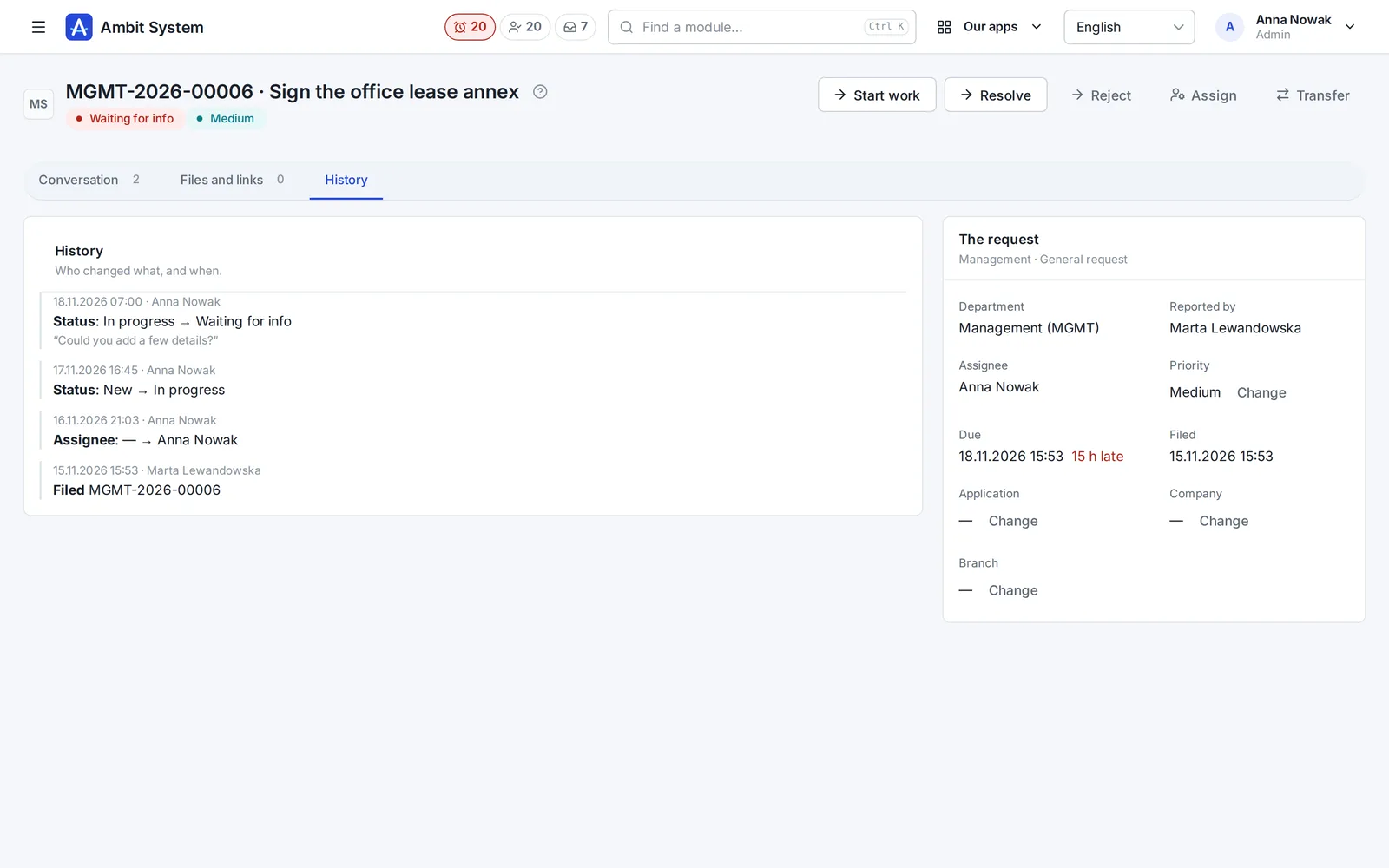
The request
Everything about a request is on the request - not in someone's inbox.
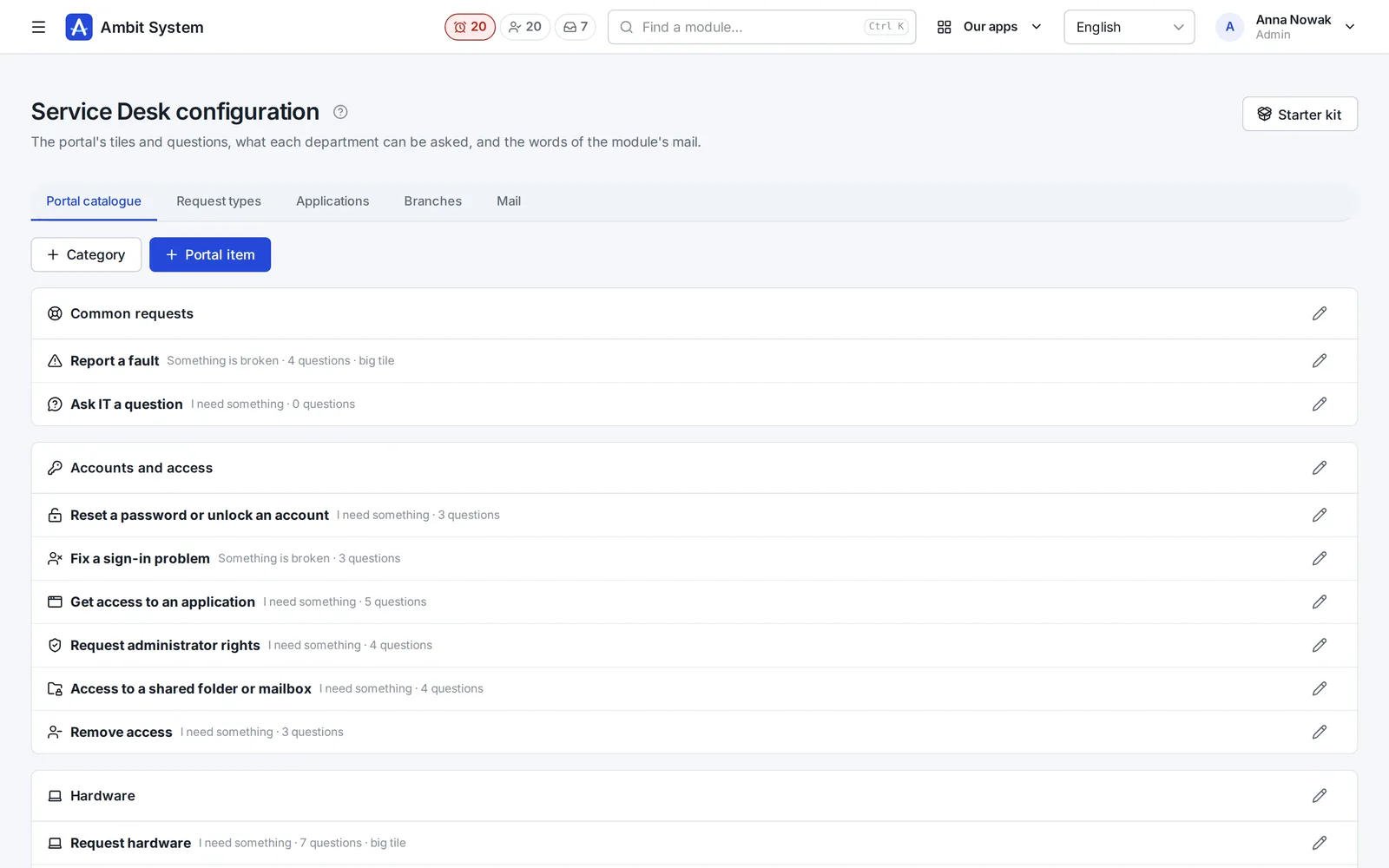
Your departments, your request types
Departments come from your org chart; IT and the administrator set up the portal themselves.
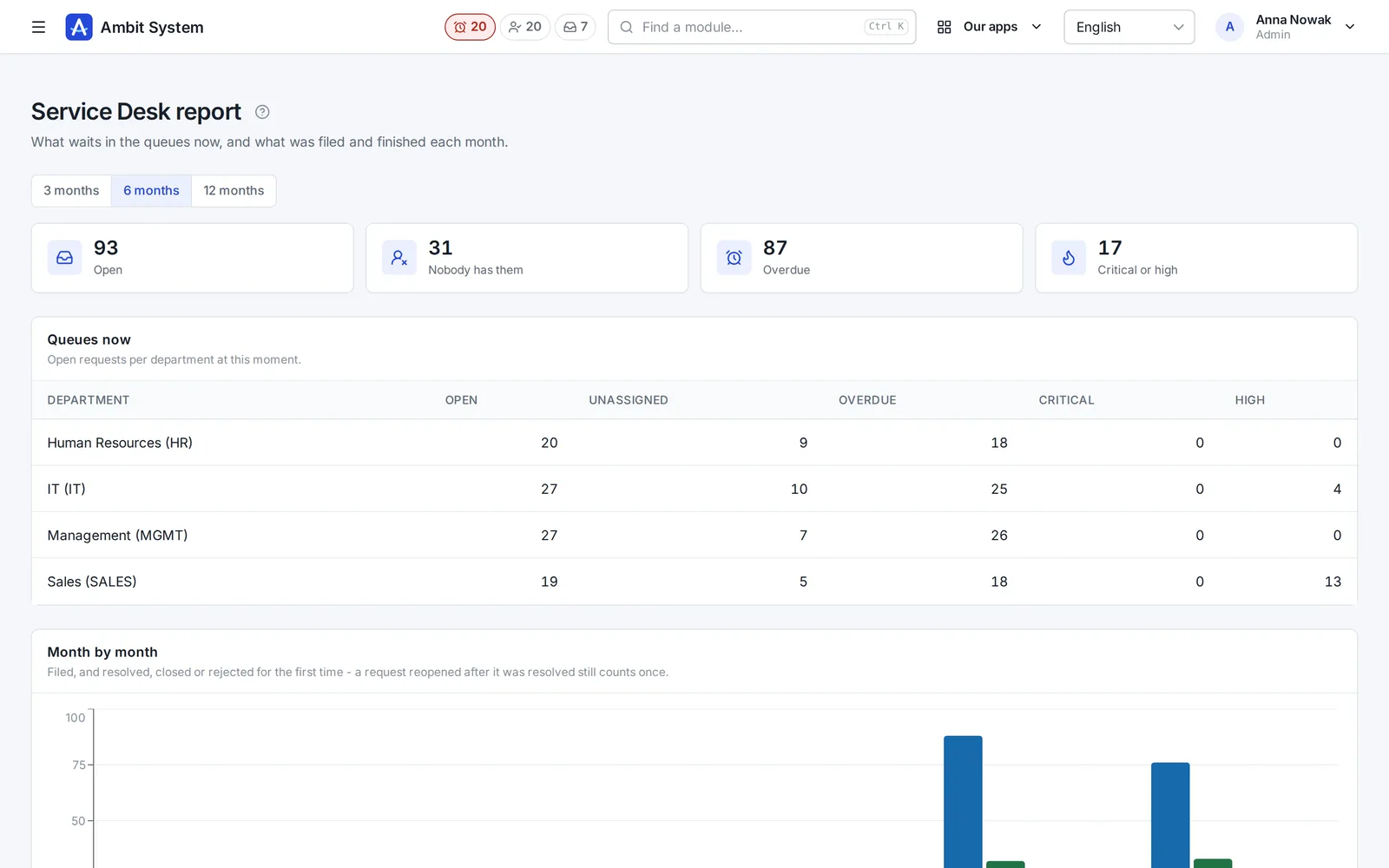
The report
How many requests came in, how many were resolved, rejected or closed, and what waits now - per department.
Who uses it
Equipment, accounts and access, broken printers and phishing reports - with the incident's priority set by impact and urgency.
Certificates, leave balance questions, onboarding of a new person - without HR's phone ringing all day.
Expense questions, invoice corrections, cost centres - every answer on record for the audit.
Keys, parking, business cards, supplies - small things that used to get lost in chat.
Said plainly
We would rather you knew before the demo than after it.
Questions
The departments are units of your org chart with a code (IT, HR, FIN...). The starter kit creates the usual ones, and you can add your own. A code is set once and never changes, so request numbers stay valid.
Yes - a request is filed by a signed-in person, so the department knows who asks and the reporter sees the answer. The portal is simple enough for people who use nothing else in the system.
The reporter, when the request is filed and when it waits for information, is resolved or rejected; the assignee, when a request is given to them; and both about new comments - never the comment's own author. The texts come from the module's settings.
The starter kit gives departments, request types and portal tiles from the first day. Adjusting the tiles to your company takes an afternoon, without a developer.
The demo has a company with a living Service Desk: file a request, take it from the queue and resolve it.