Requests
Remote work, a training course, new equipment - the request on record, with its dates and reason.
Forms
A remote work request, a team survey, a statement - built in the panel without a developer, published as a version, and filled in by your people when they sign in.
How it goes today
Forms keeps the form, its versions and every answer in the system your people already sign in to - with who filled what, and when.
From a blank page to answers
The same path for a one-page survey and a three-page request.
Pages and questions with their rules: required, length, range, the number of choices.
The draft becomes a version people can fill in; Preview shows it first, nothing saved.
Each person under My forms - or Admin or HR for them. A draft is saved page by page.
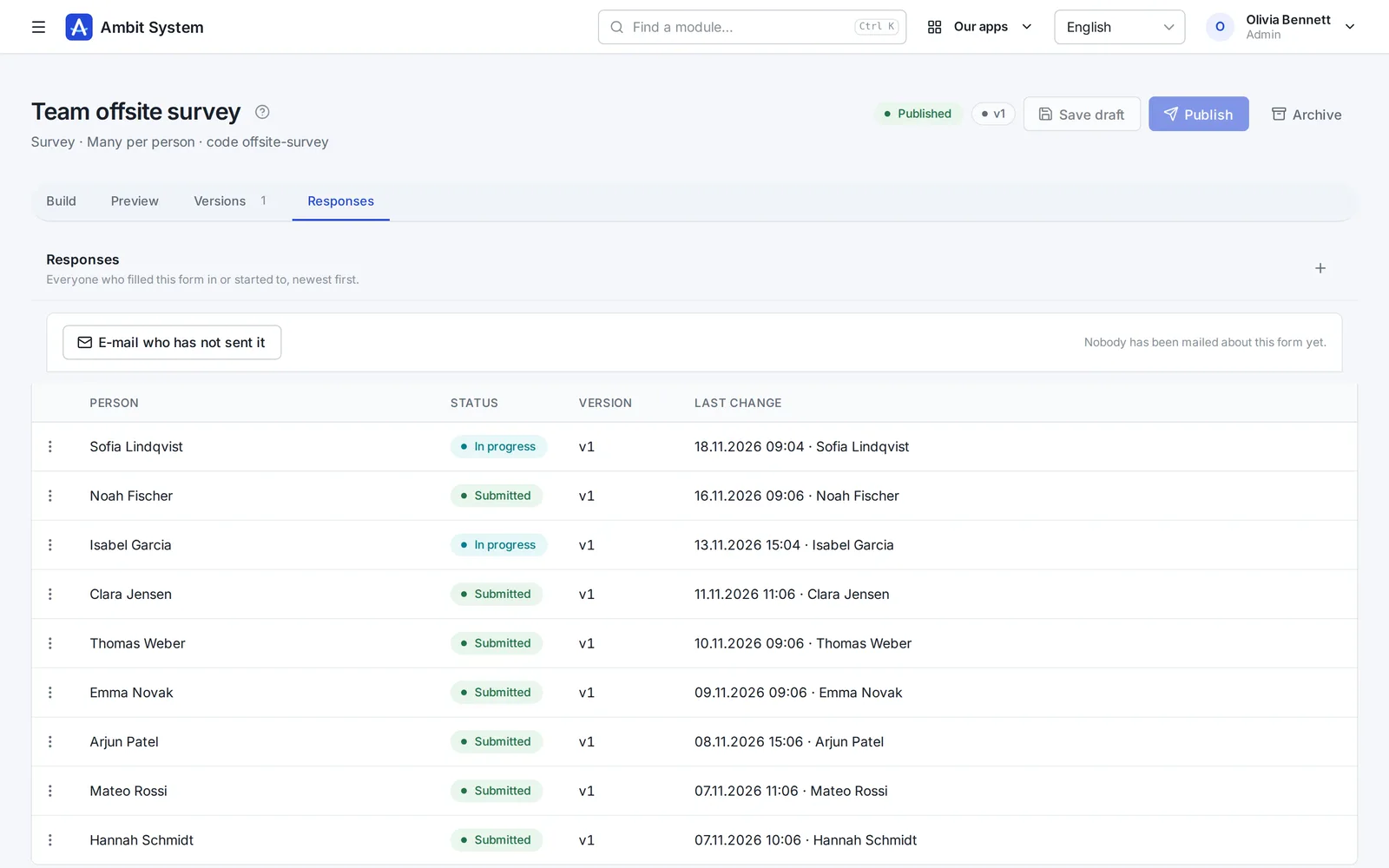
The form's Responses tab lists everyone who answered or started to, newest first.
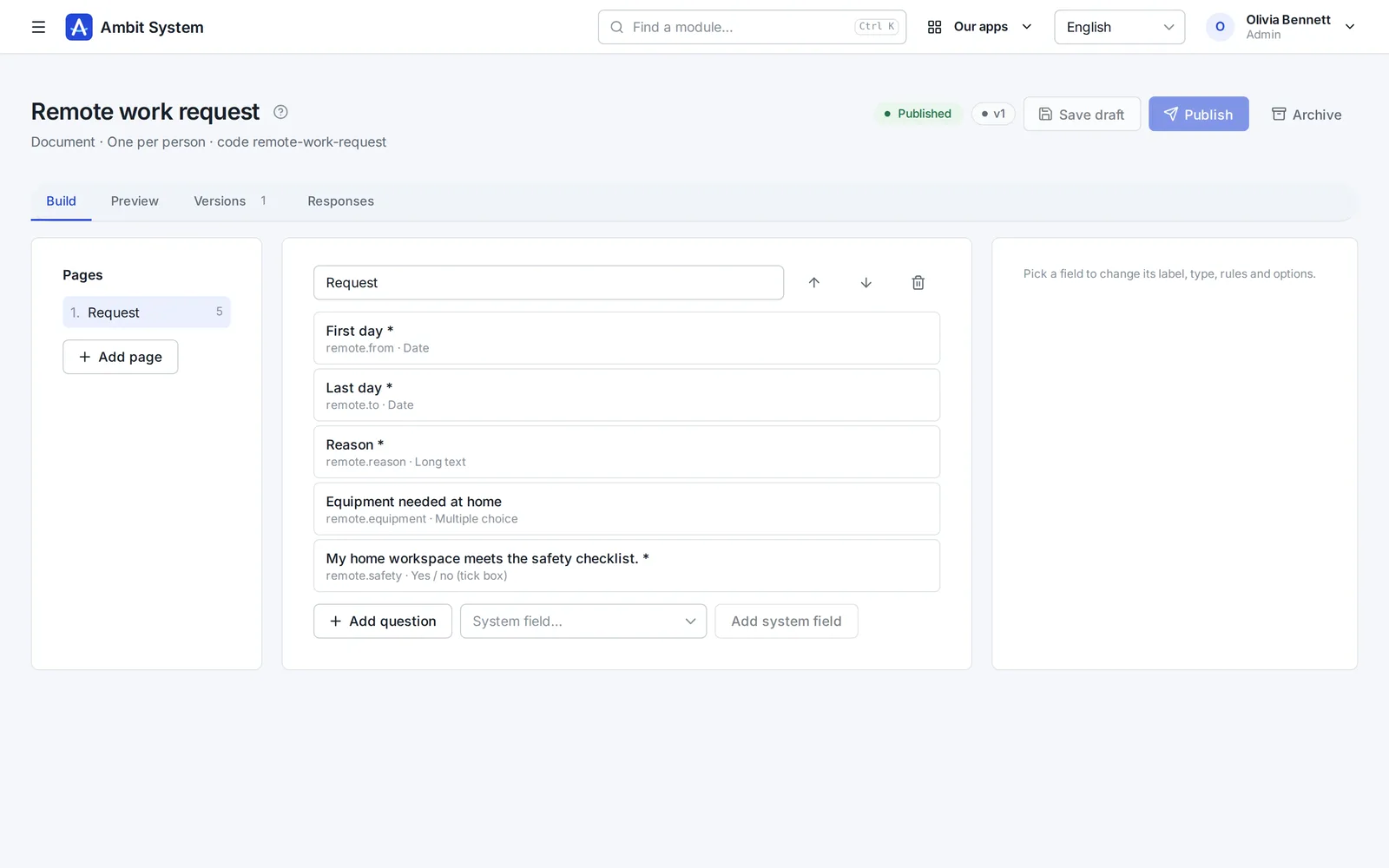
The builder
Built on the form's own page and published when it is ready - the draft can go on changing after that.
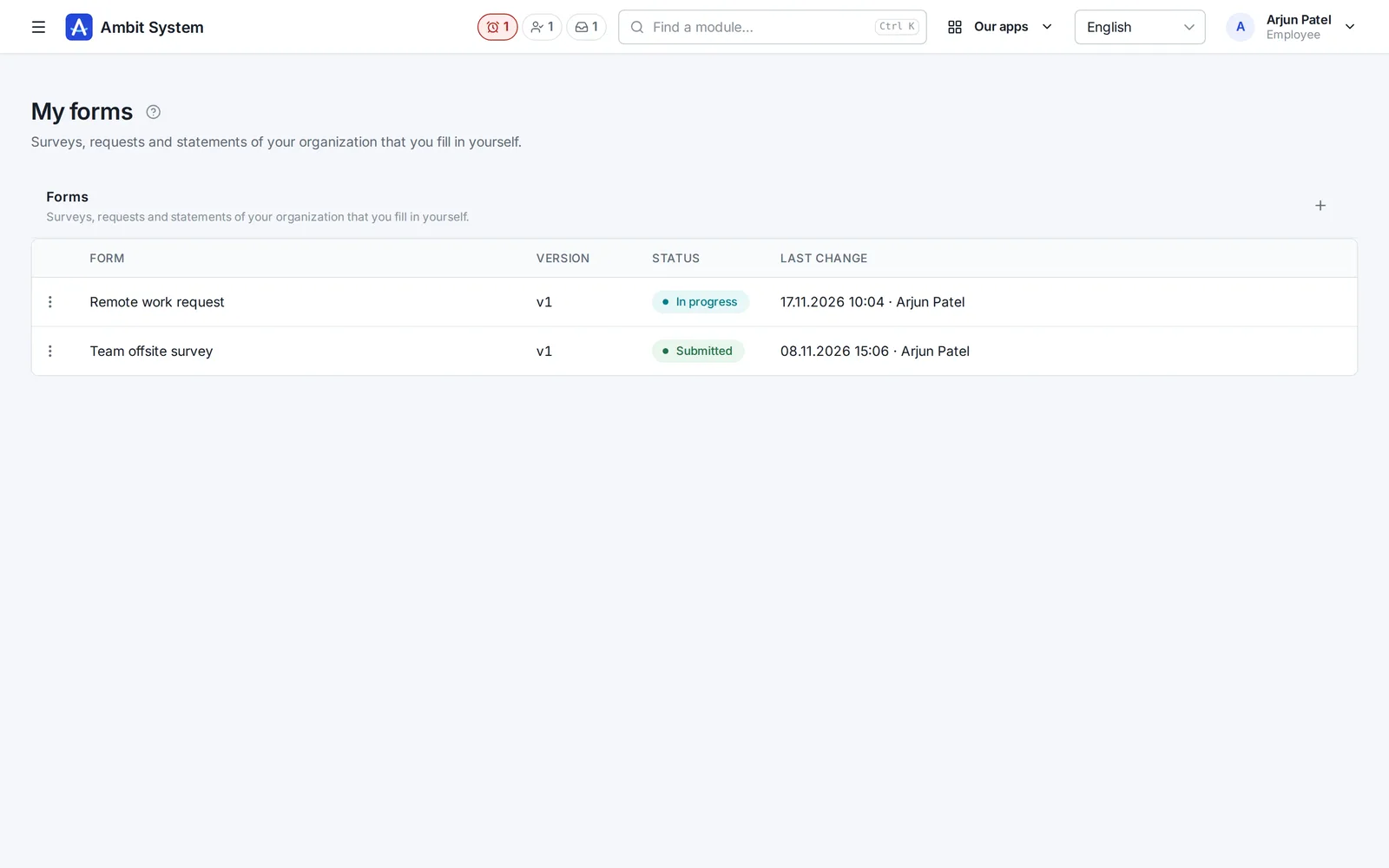
My forms
A member of the organization opens My forms in the panel: what they filled in, what is half way, and what they can start.
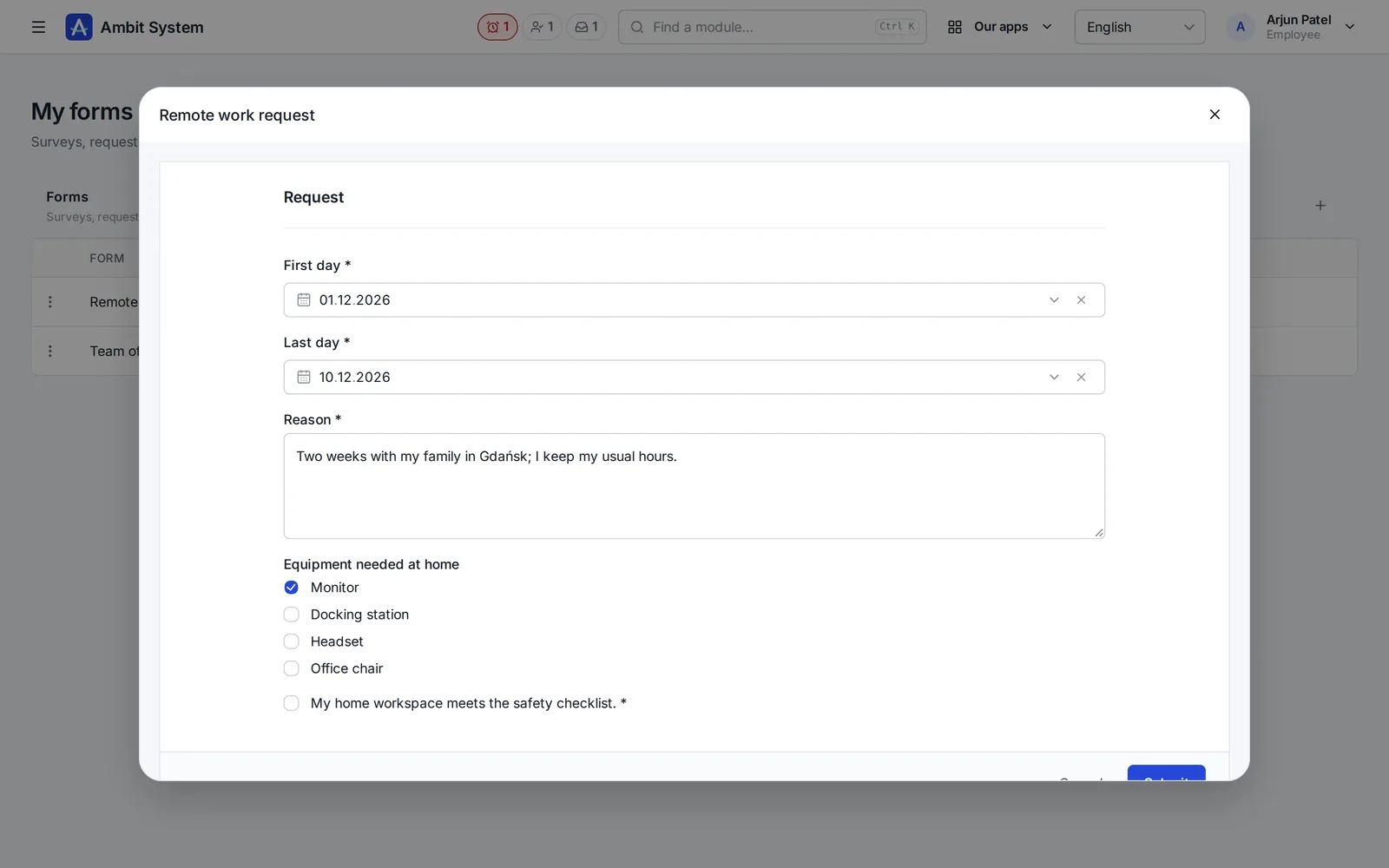
Filling in
The same rules hold in the browser and on the server - and the person can close a long form and come back to it.
Responses
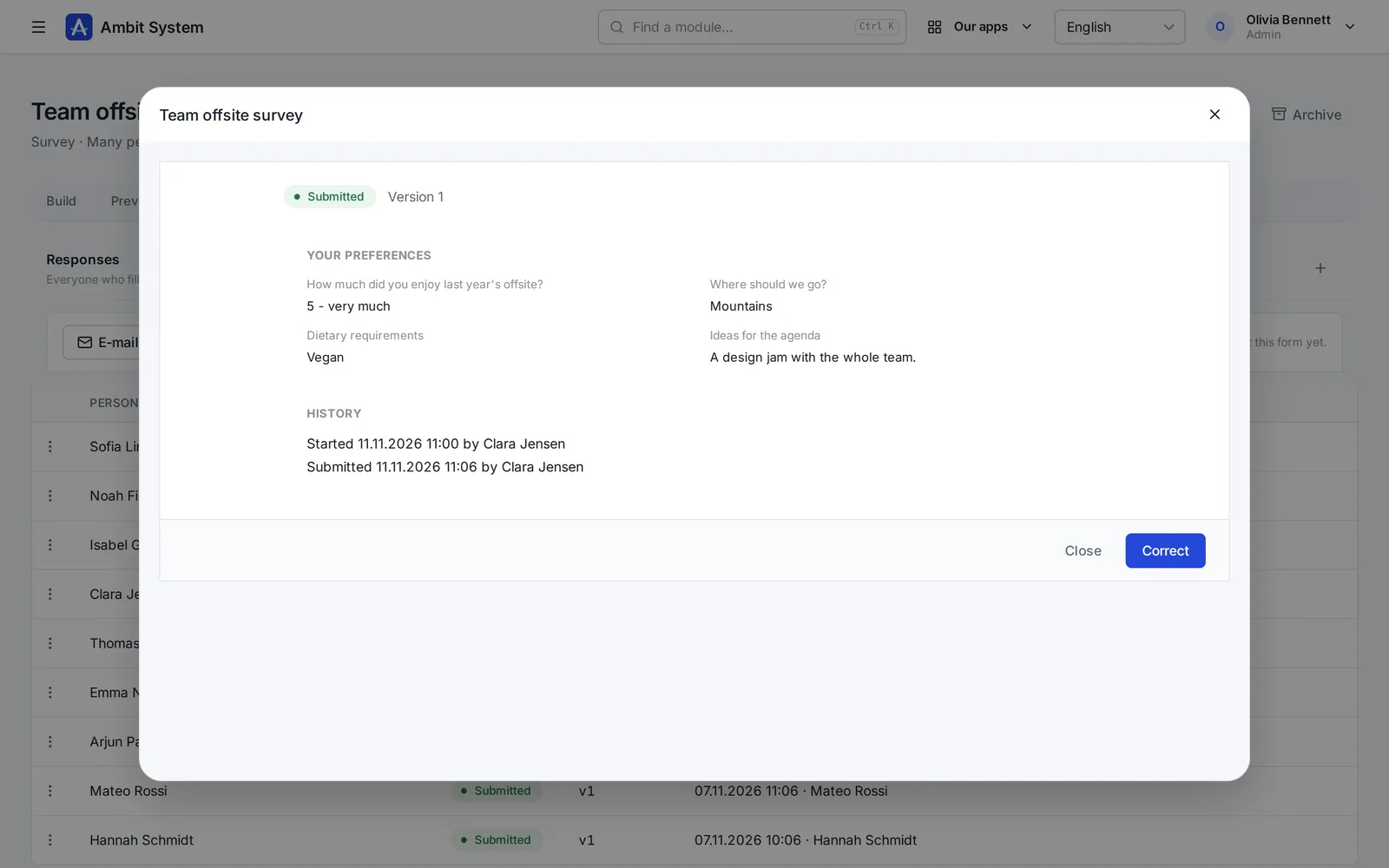
Admin and HR see every response to a form on its own tab - and open each one with its history.
What offices use it for
A form keeps content and checks it; it decides nothing for you - which is why it fits so much.
Remote work, a training course, new equipment - the request on record, with its dates and reason.
A team survey, an offsite, feedback after onboarding - filled in as often as you publish them.
Read the safety rules, agreed to the photo policy - one document per person, kept with its version.
Said plainly
We would rather you knew before the demo than after it.
Questions
The administrator and HR: they create, publish and archive forms and correct a submitted response. Everybody else fills them in.
Only you, the administrator and HR. Other members of the organization do not see your responses.
Nothing: a change is published as a new version, and every response stays tied to the version it was given to.
Yes - archive it. Nobody can start it any more, and the responses already given stay as they are.
The demo has a company with its forms and its people's answers: build one, publish it and fill it in.