Products and Warehouse

Know what lies where - and who moved it.

Keep your products in one catalogue and your stock per location. Every operation is saved with the quantity before and after, so the numbers can always be explained.
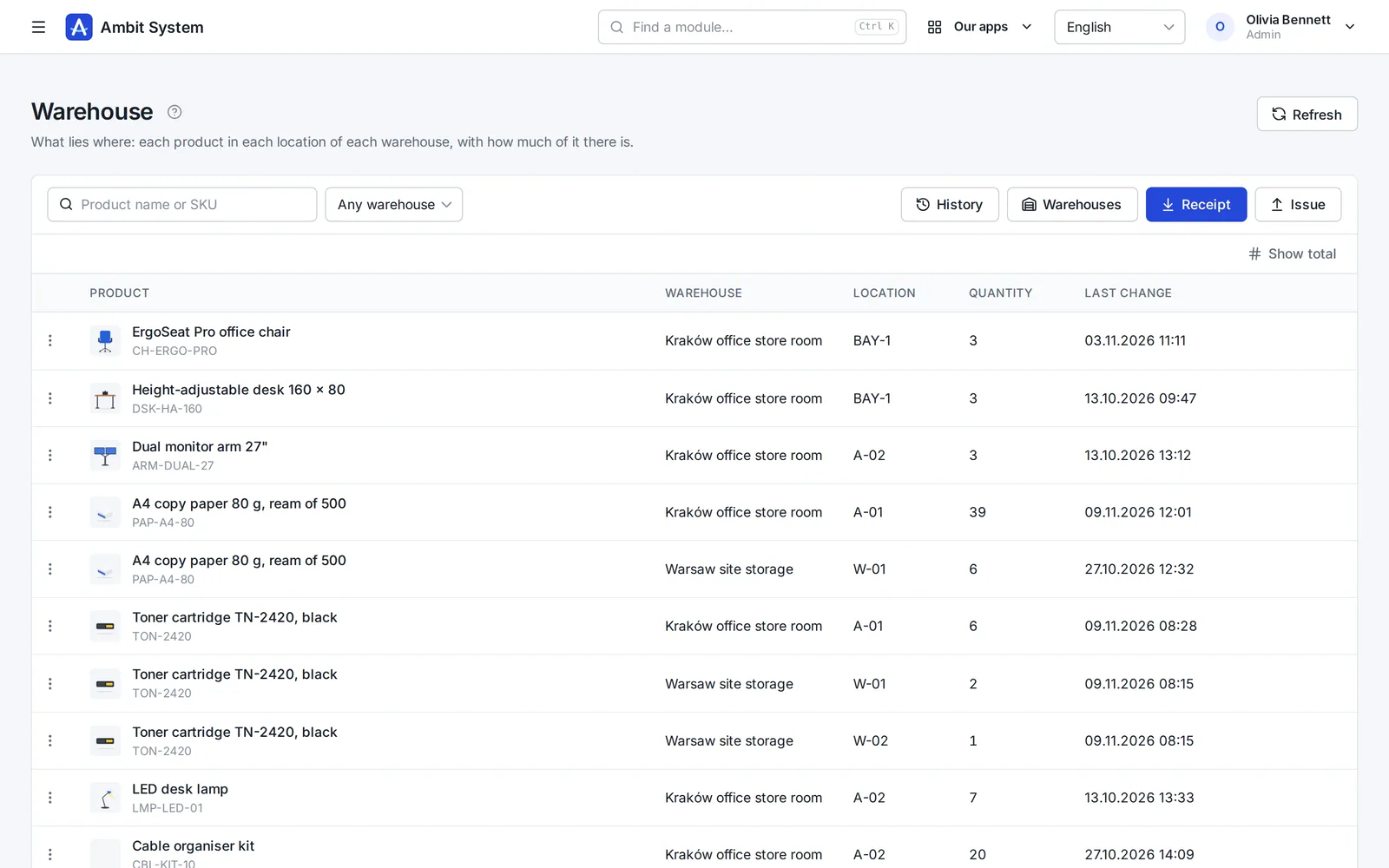
The stock list: each product with its picture and SKU, the warehouse, the location, the quantity and the last change.
Screens of the real system on made-up data.

How it goes today

Stock lives in a spreadsheet, and the spreadsheet is wrong

  • The same product is typed three ways in three files, so nobody can add them up.
  • Someone took two boxes and did not write it down.
  • The count does not match the sheet, and nobody can tell since when.
  • Only one person knows which shelf things are on.

Products and Warehouse keep one record per product, the stock per location, and every change with who made it and why.

From the catalogue to the shelf

Four steps, the same every time

Set it up once, then every delivery and every handout follows the same path.

  1. Product

    Add the product once: name, SKU, brand, manufacturer, weight and pictures.

  2. Warehouse

    Add a warehouse and its locations - shelves, bays, goods in - each with a short code.

  3. Receipt and issue

    Receive goods into a location and issue them out, with a document number and a note.

  4. Count

    Correct a line after a count, with a reason, and check the stock against its whole history.

The catalogue

One record for each product

Name, SKU, brand, manufacturer and weight - typed once, used by the warehouse and every list.
  • An SKU unique in the organization, whatever the letter case
  • Brands and manufacturers as two short lists of your own
  • Weight in grams or kilograms, always with its unit
  • Search by name or SKU, filters by brand and manufacturer
  • Archive instead of delete - the SKU stays taken
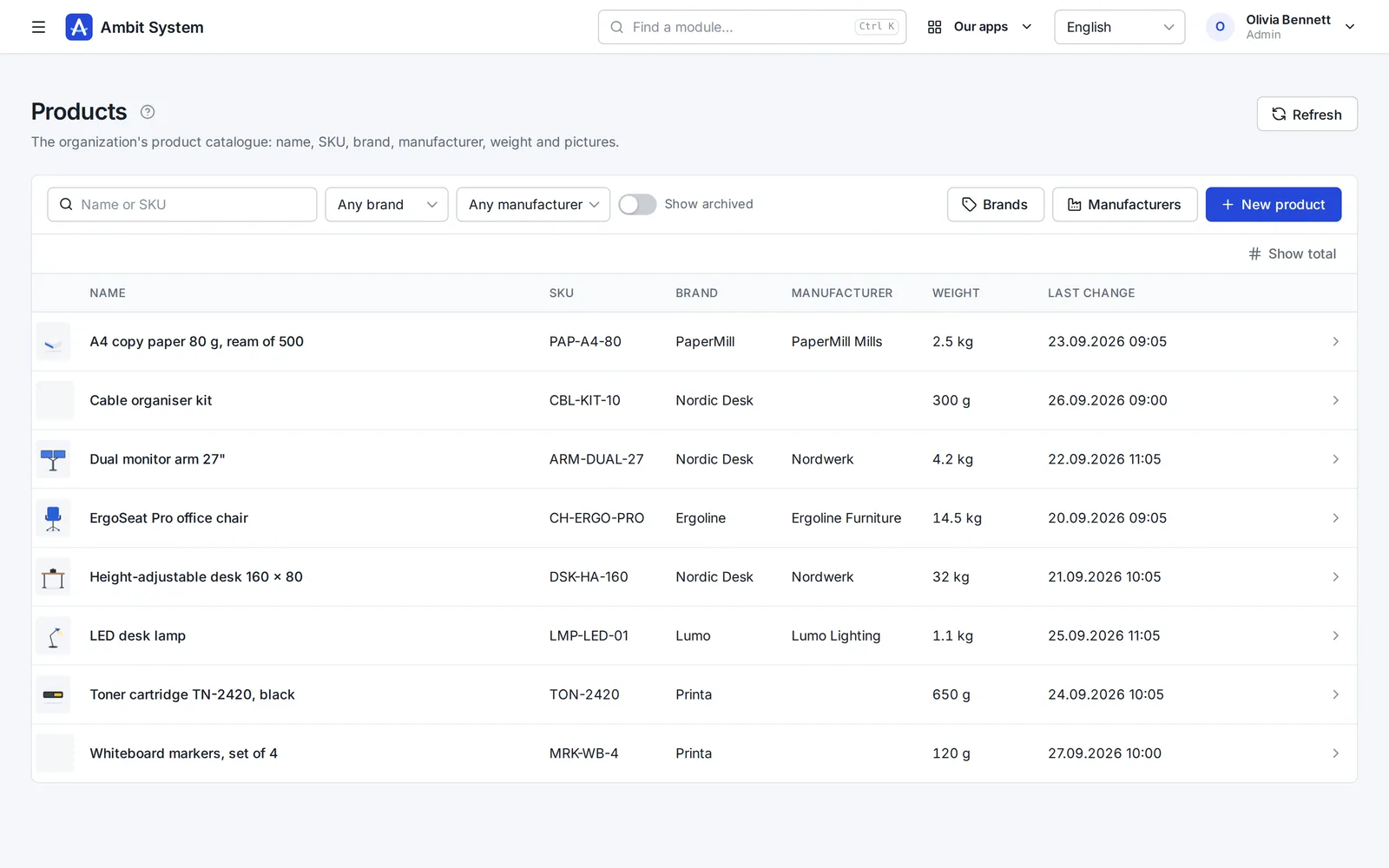
The product list: picture, name, SKU, brand, manufacturer, weight and last change, with search and filters above.
The catalogue with the main picture of every product.

The product

Its data and its pictures on one page

Everything the catalogue knows about a product, who added it and who changed it last.
  • Up to 20 pictures, PNG, JPEG or WebP
  • A main picture for the lists, and the order of the gallery
  • A product keeps the brand name it was saved with
  • Everyone with the module reads; Admin, Operations and Administration change
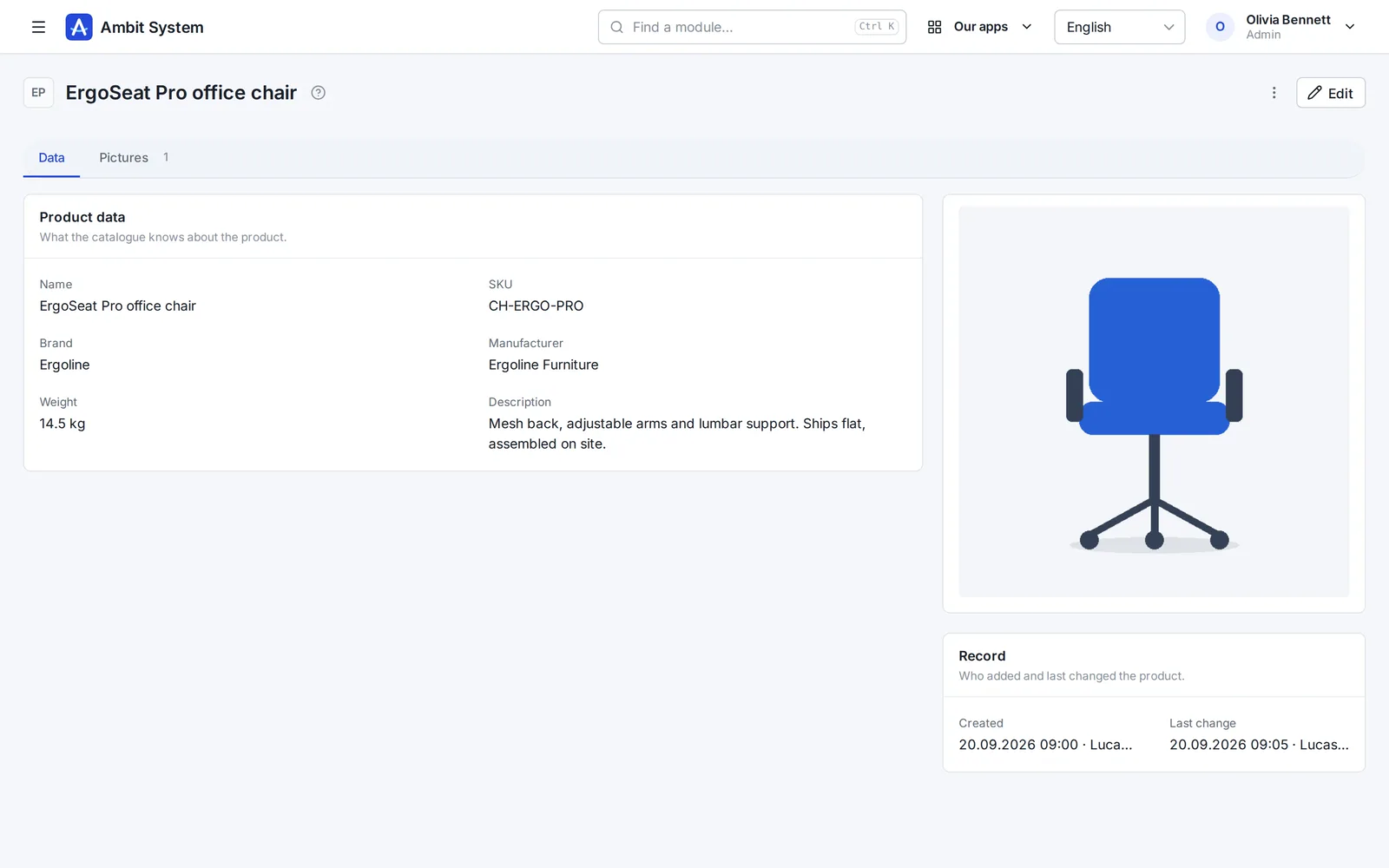
A product's page: name, SKU, brand, manufacturer, weight and description, its main picture, and who created and changed it.
A product with its data, its picture and its record.

The history

Every change, with the quantity before and after

Nothing in the history is edited or deleted. A mistake is put right by another operation, so the trail stays complete.
  • Who, when, which product, how much, from where and to where
  • The quantity before and after in every location touched
  • The document number and the note or reason
  • Filters by warehouse and kind of operation
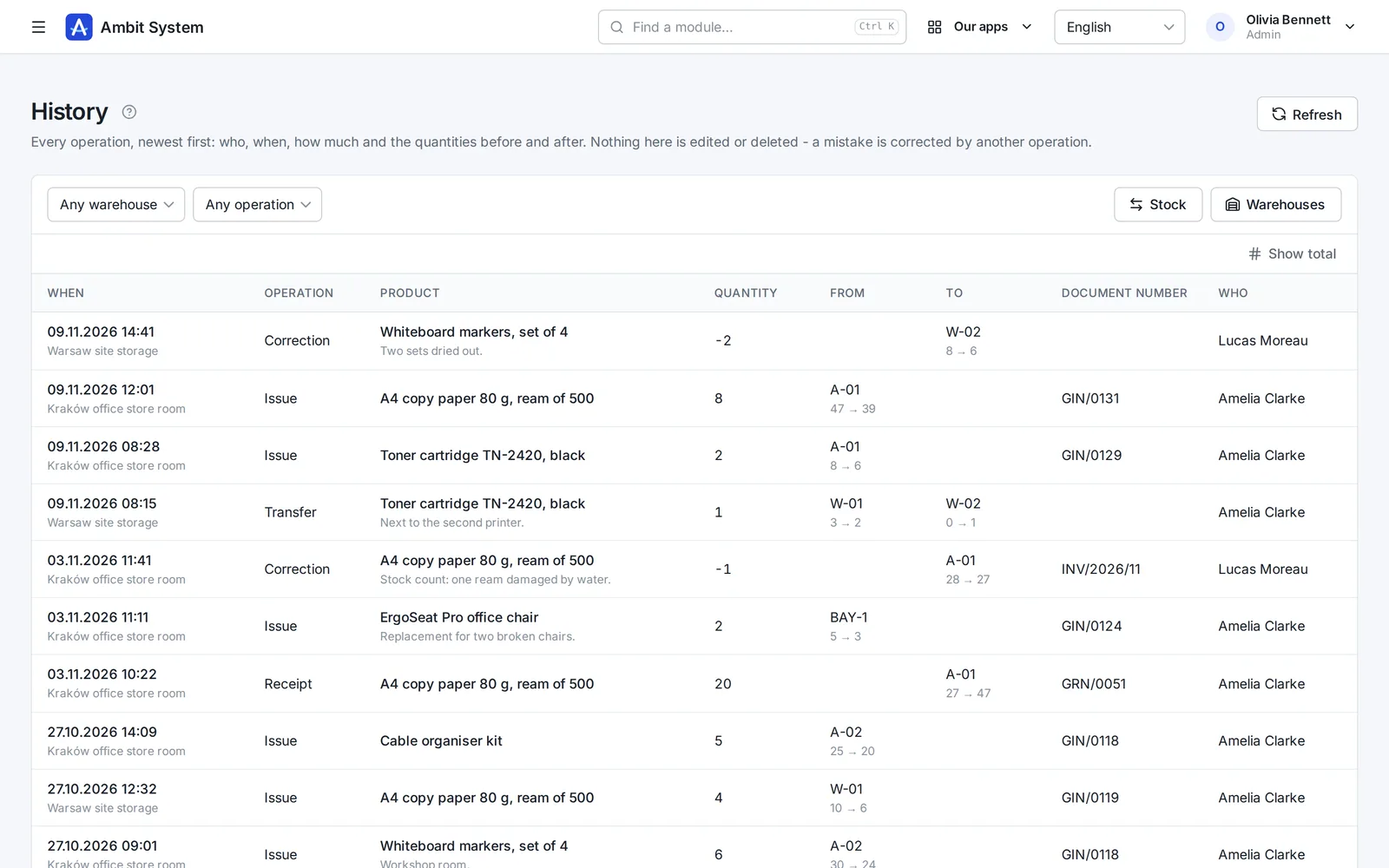
The history of operations: date, warehouse, operation, product, quantity, the locations with before and after, document number and who.
Receipts, issues, transfers and corrections, newest first.

The operations

Receive, issue, move and correct - never below zero

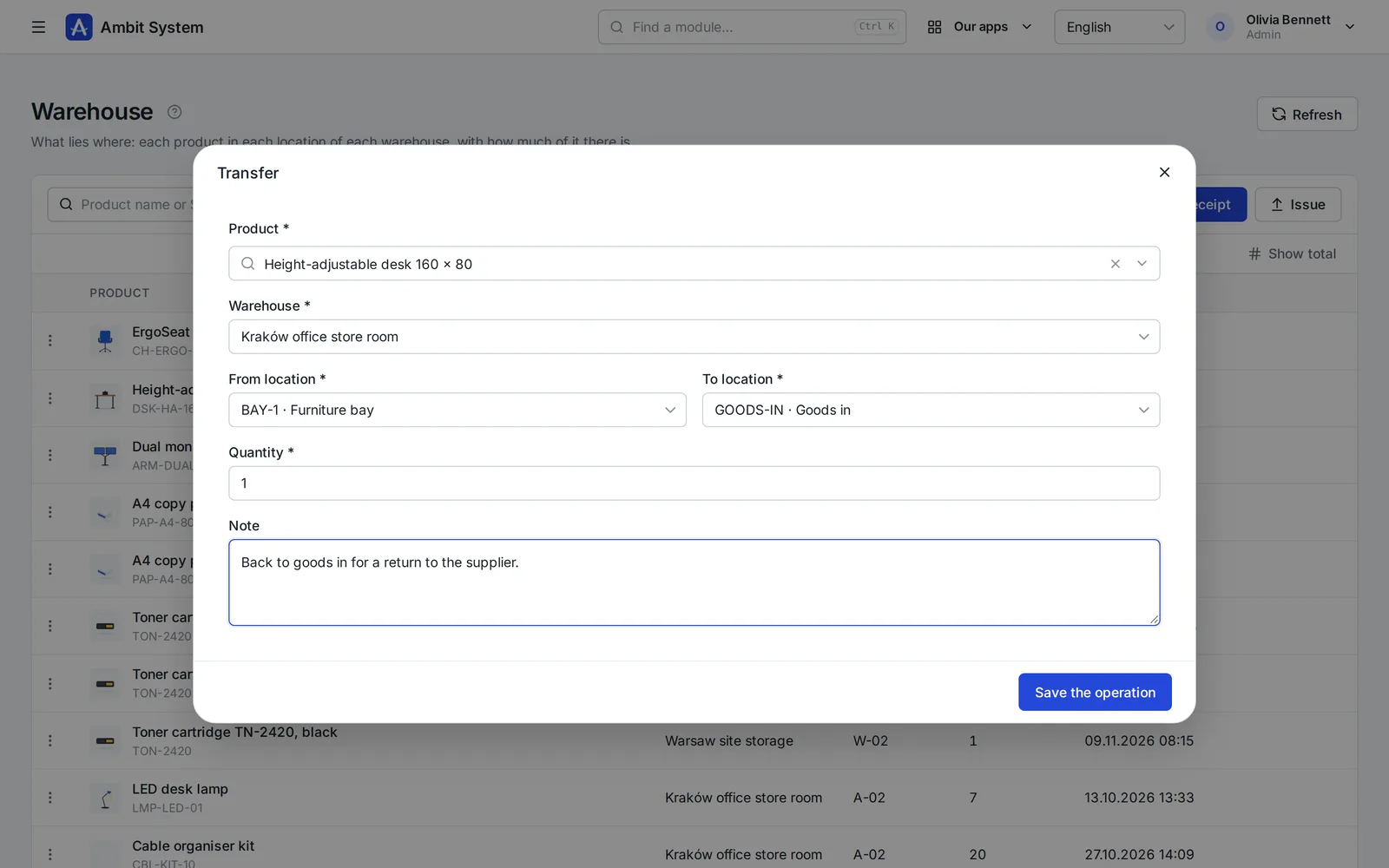
Four operations change the stock, each in one short window. The row menu fills in the product, warehouse and location for you.
  • Quantities with up to three decimals, for goods sold by weight
  • An issue or a transfer takes at most what lies in the location - even when two people do it at once
  • A transfer moves goods between two locations of a warehouse in one step
  • A correction needs a reason, by the counted quantity or by the difference
  • A switched off location gives goods out but takes nothing in
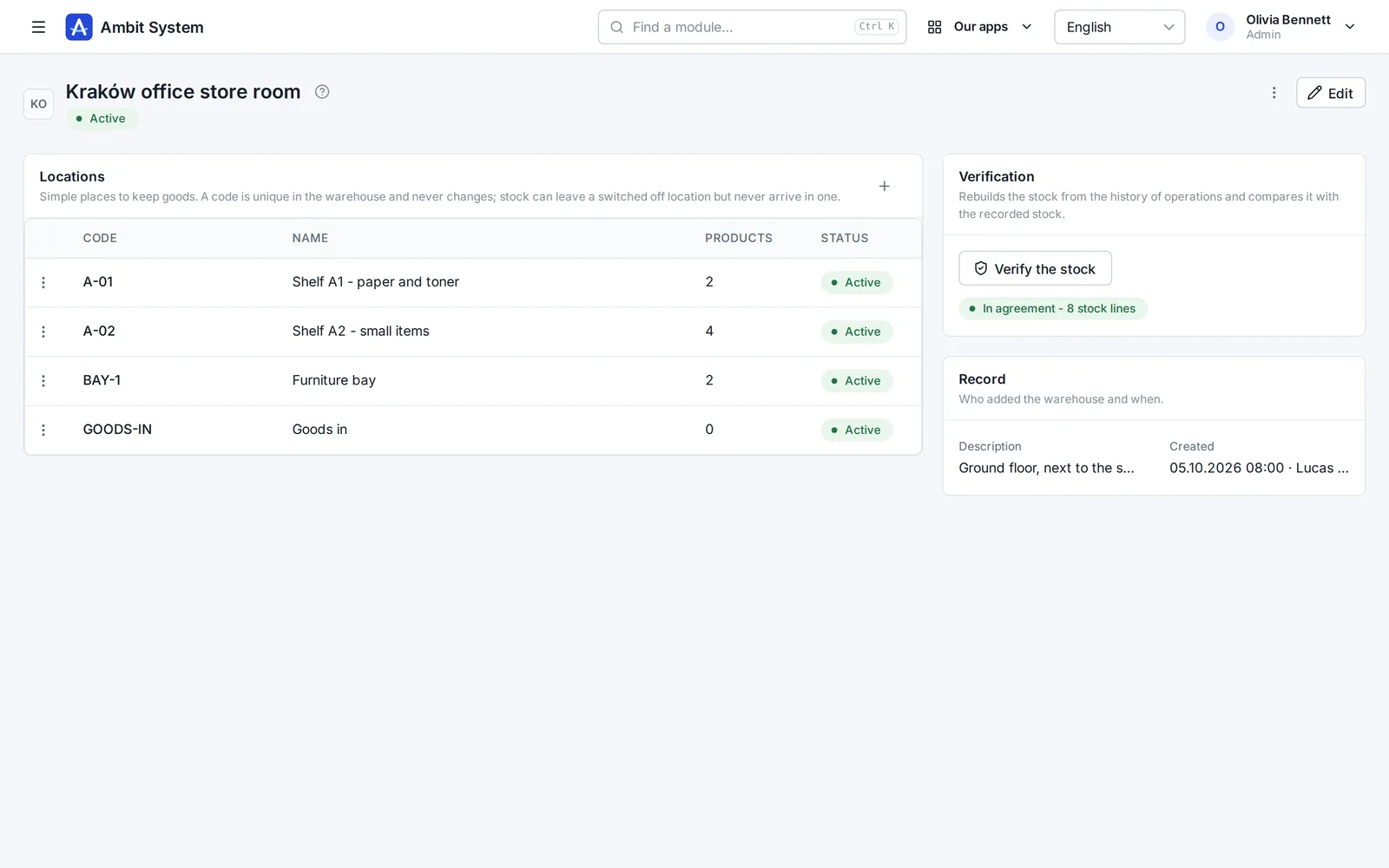
  • Verify the stock: rebuilt from the history and compared line by line
The Transfer window: the product, the warehouse, from and to location, the quantity and a note.
A transfer from the furniture bay back to goods in.
A warehouse's page: its locations with their number of products, and the stock check saying the stock is in agreement.
A warehouse with its locations, and the stock check in agreement.

Who does what

Roles you already have

No new permission system: the organization roles decide.

Everyone with the module

Reads the catalogue, the stock and the history.

Admin, Operations, Administration

Keep the catalogue and its pictures; receive, issue and transfer goods.

Admin, Operations

Also correct stock after a count, and set up warehouses and locations.

Be honest

What it does not do yet

A simple warehouse on purpose. These are not there today:

  • Moving goods between warehouses in one step - issue from one and receive in the other.
  • Reservations, batches and expiry dates.
  • EAN codes and barcode scanning.
  • Prices and stock value.
  • A stocktake as one document - a count is corrected line by line.
  • Product variants, categories and import from a file.

Questions

Before you start

Can I use the catalogue without the warehouse?

Yes. Products is a module of its own. The Warehouse needs the catalogue and includes it.

Can the stock go below zero?

No. An issue, a transfer or a correction that would leave less than nothing is refused, even when two people save at the same moment.

Can I change or delete an operation?

No. Each operation is a fact with the quantity before and after. A mistake is put right by another operation - an issue, a receipt or a correction with its reason.

How do I know the numbers are right?

Verify the stock on a warehouse's page: the stock is rebuilt from the whole history and compared with the recorded one, line by line.

Do I need a separate product list for the warehouse?

No. The warehouse uses the products of the catalogue - their name, SKU and main picture - and copies none of it.

See a store room with real-looking stock

The demo has products, two warehouses and weeks of operations. Open it and try a receipt.