Equipment and Fleet

Every item and every car has a holder - and a history.

Register the company's equipment and cars, hand them over to your people and take them back - and see at any moment who has what, since when, and in what state it came back.
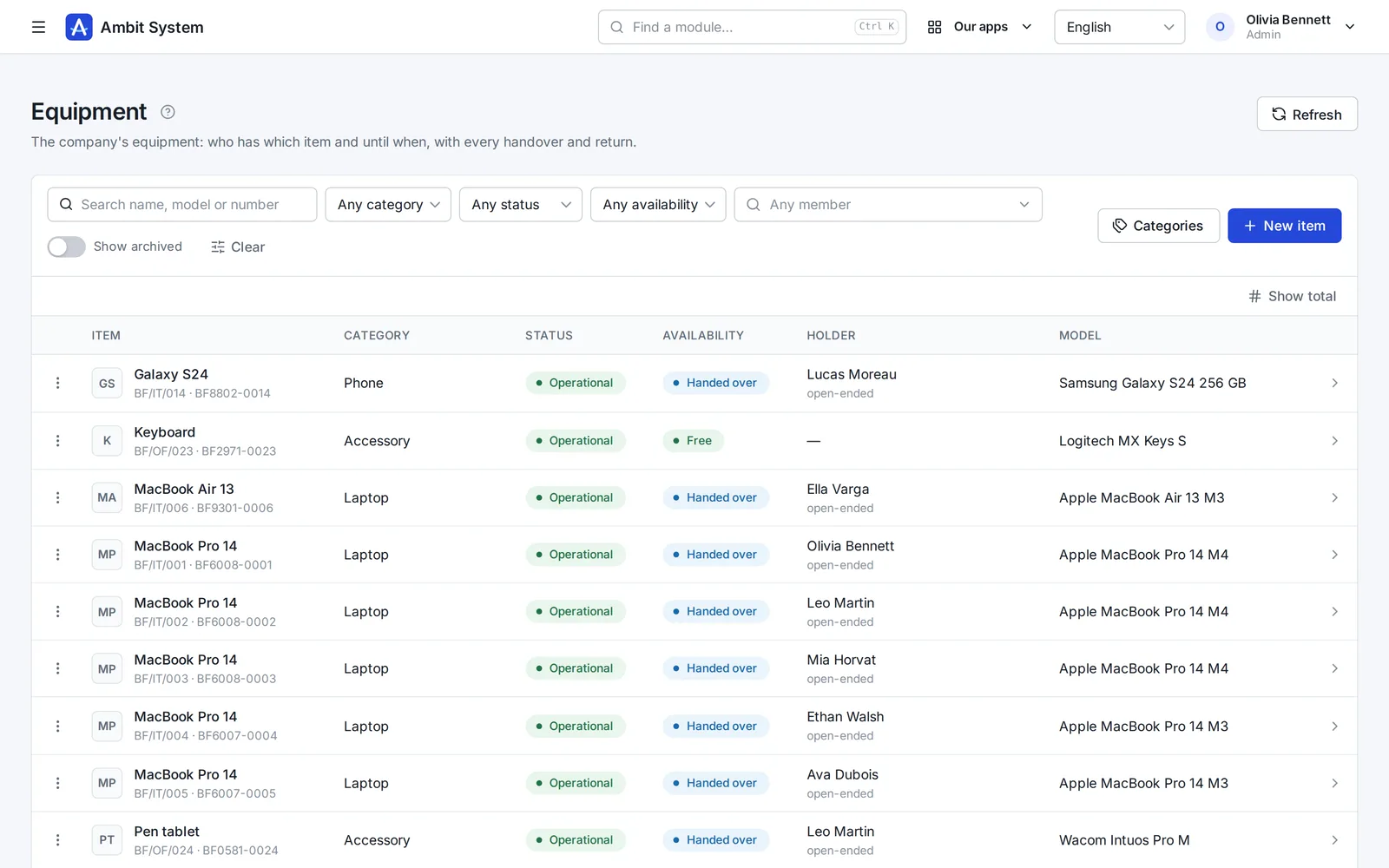
The equipment register: laptops, phones and accessories with category, status, availability, holder and model.
Screens of the real system on made-up data.

How it goes today

The register is a spreadsheet nobody trusts

  • Nobody is sure who took the spare laptop, or when it is coming back.
  • Somebody leaves, and the phone and the monitor leave with them.
  • A car is at the repair shop - which one, and since when?
  • A returned item comes back damaged, and nobody wrote down what it was like before.

Equipment and Fleet keep every item and every car on one register, with the holder now and every handover and return before.

From purchase to return

One path for every item and every car

The same steps for a laptop, a drill and a delivery van.

  1. Register

    Add it with its category, serial and inventory number - or, for a car, its number plate, VIN and financing.

  2. Hand over

    Give it to a member of your organization for a period, or open-ended; one holder at a time.

  3. Return

    Take it back with its condition - good, damaged or lost - and, for a car, the mileage and fuel.

  4. Status

    Repair, disposal, sale or archive - set by hand, with the history of every change.

Fleet

Every company car, its status and who drives it

The fleet as a list: what is on the road, what is at the repair shop and what is free today.
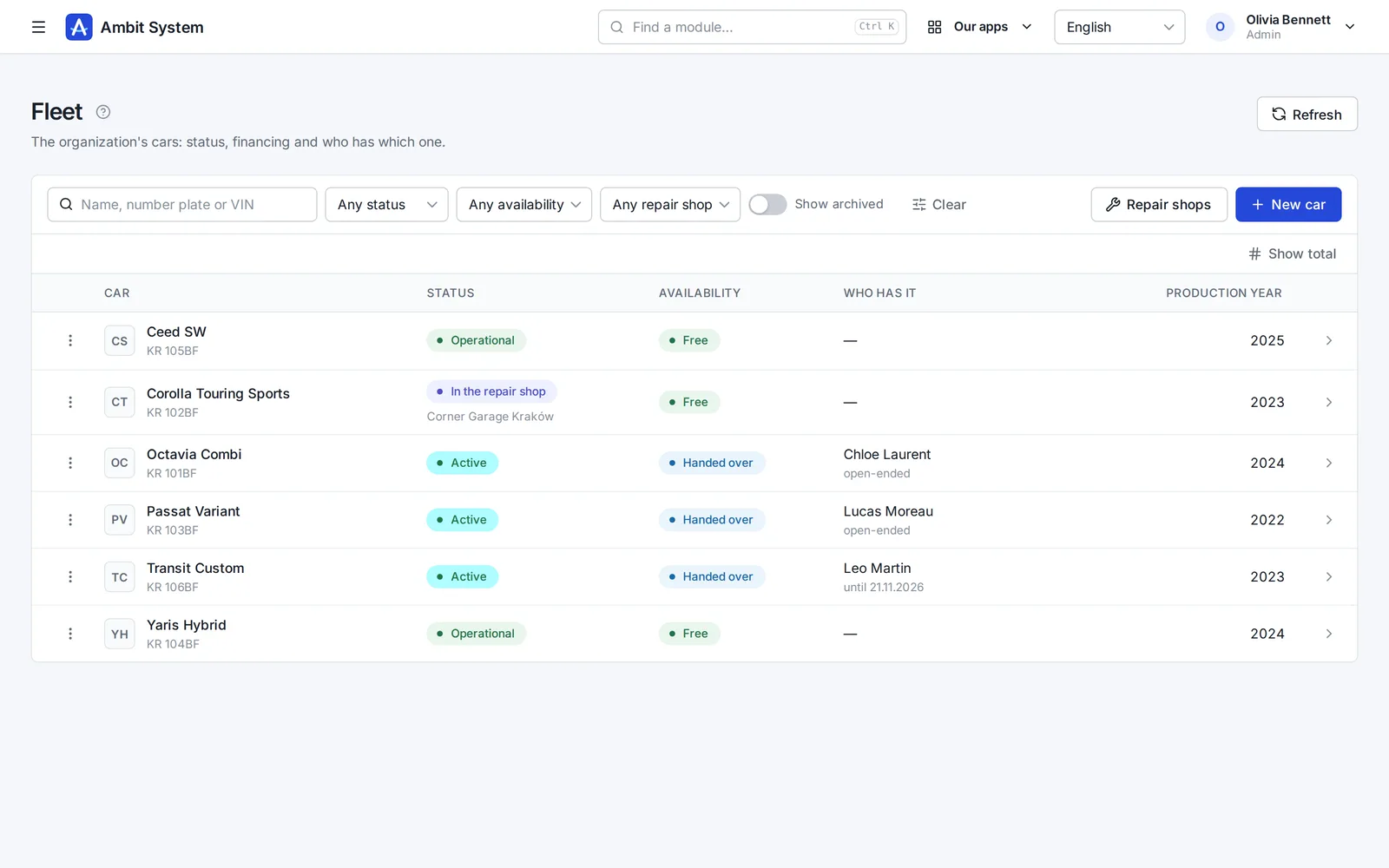
  • Status: active, operational, to / in / ready at the repair shop, for sale, archived
  • The repair shop from your own list of partners
  • Bought or leased: the leasing company, the monthly instalment and the number of months
  • Number plate and VIN unique in the organization
  • Filters for status, availability and repair shop
The fleet list: cars with their number plate, status, availability, who has them and the production year.
The fleet: status, availability and who has each car.

Handovers of a car

Who had the car, when, and how it came back

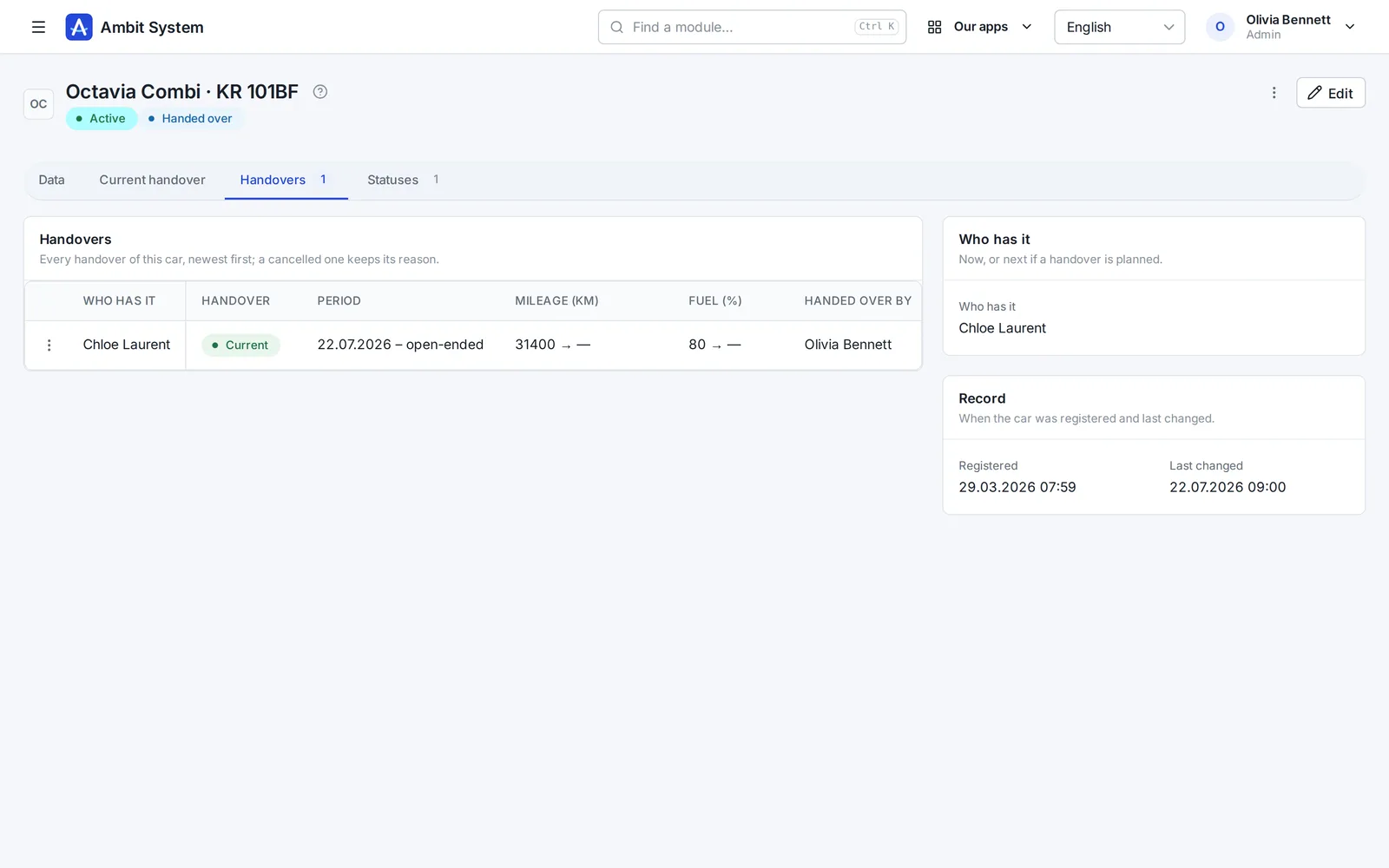
Every handover of a car stays on its page - also the cancelled one, with its reason.
  • One car per person and one person per car at a time
  • A handover planned ahead, current or overdue - computed for today
  • Mileage and fuel when it is handed over and when it comes back
  • "My car" on the employee's profile
A car's handovers: who has it, the period, the mileage and fuel at the handover and who handed it over.
A car with its current handover, mileage and fuel.

Equipment

Laptops, phones and tools one piece at a time

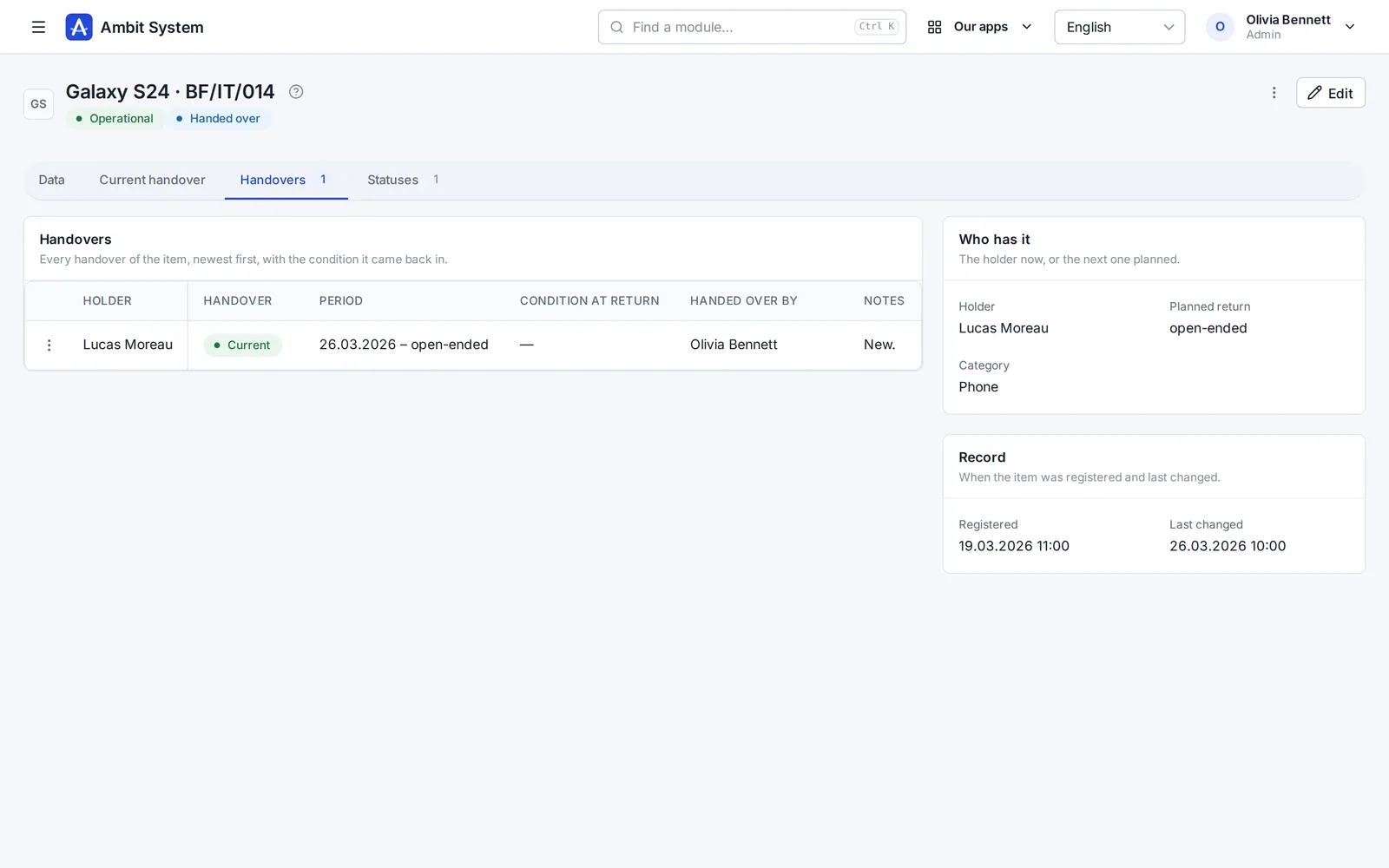
Each item with its numbers, purchase and warranty, its holder and every handover and return.
  • Nine default categories and your own
  • Serial number unique in the organization, inventory number freed by archiving
  • Purchase date, price and warranty - the price seen only by managers and finance
  • A return records the condition: damaged or lost changes the item's status at once
  • "My equipment" on the employee's profile
An item's handovers: the holder, the period, the condition at return, who handed it over and a note.
A phone with its current holder and handovers.

Two modules

Take one, or both

Equipment and Fleet are separate modules - they work on their own and side by side.

Equipment

Things one piece at a time, categories, numbers, handovers and returns. A module of its own, also in the Business package.

Fleet

Company cars, status, repair shops, leasing, handovers with mileage and fuel. A module of its own.

Said plainly

What it does not do yet

We would rather you knew before the demo than after it.

  • No insurance or inspection dates for cars, and no reminders - of those or of a warranty's end.
  • No costs: fuel, repairs and insurance amounts are not recorded; a car has only its leasing instalment.
  • Equipment is counted in pieces, not quantities: forty pairs of gloves are forty items.
  • Not a fixed-asset register: no depreciation.

Questions

Before you ask

Does an employee see what they have?

Yes - their profile shows "My equipment" and "My car", with the items and the car handed over to them.

Who can hand things over?

The administrator and the people of administration and HR (for equipment also operations). Finance sees the prices and the leasing; everybody else reads.

Can one person hold several items?

Yes - a laptop, a phone and a monitor at once. A car is one per person at a time.

What happens to a damaged return?

The return records the condition, and damaged or lost changes the item's status in the same step. Undone the same day, the status goes back too.

See it working on real screens

The demo has a company with its laptops, phones and cars handed out: hand one over and take it back.