Besturingssysteem voor uw bedrijf

Uw hele bedrijf. Eén verbonden systeem.

Beheer mensen, klanten, operaties, uitrusting, documenten en processen op één platform. Begin met wat u nodig hebt en breid uit wanneer uw bedrijf groeit.

Zonder registratie en zonder wachtwoord. Een voorbeeldbedrijf, kant-en-klare gegevens, alle modules.

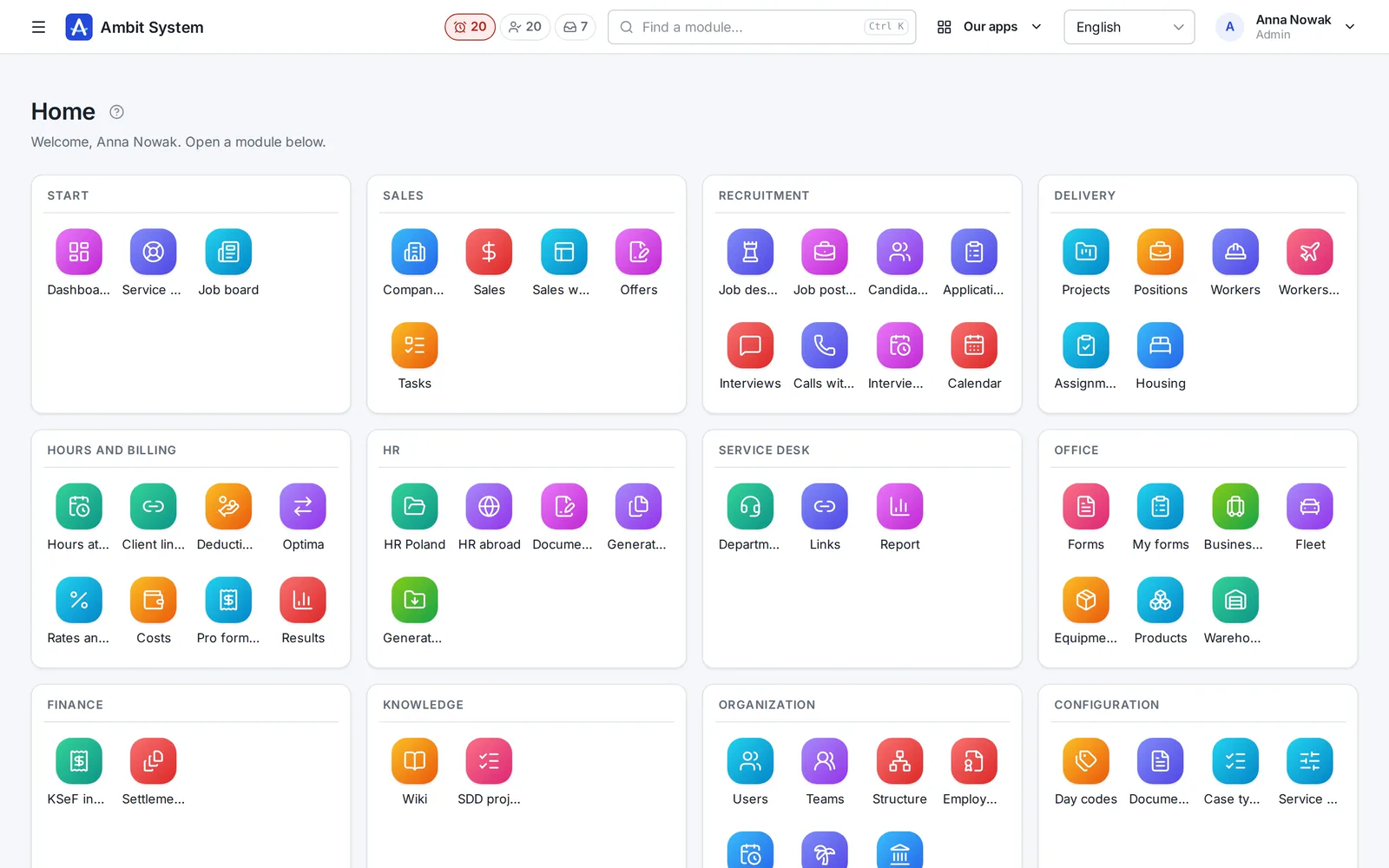
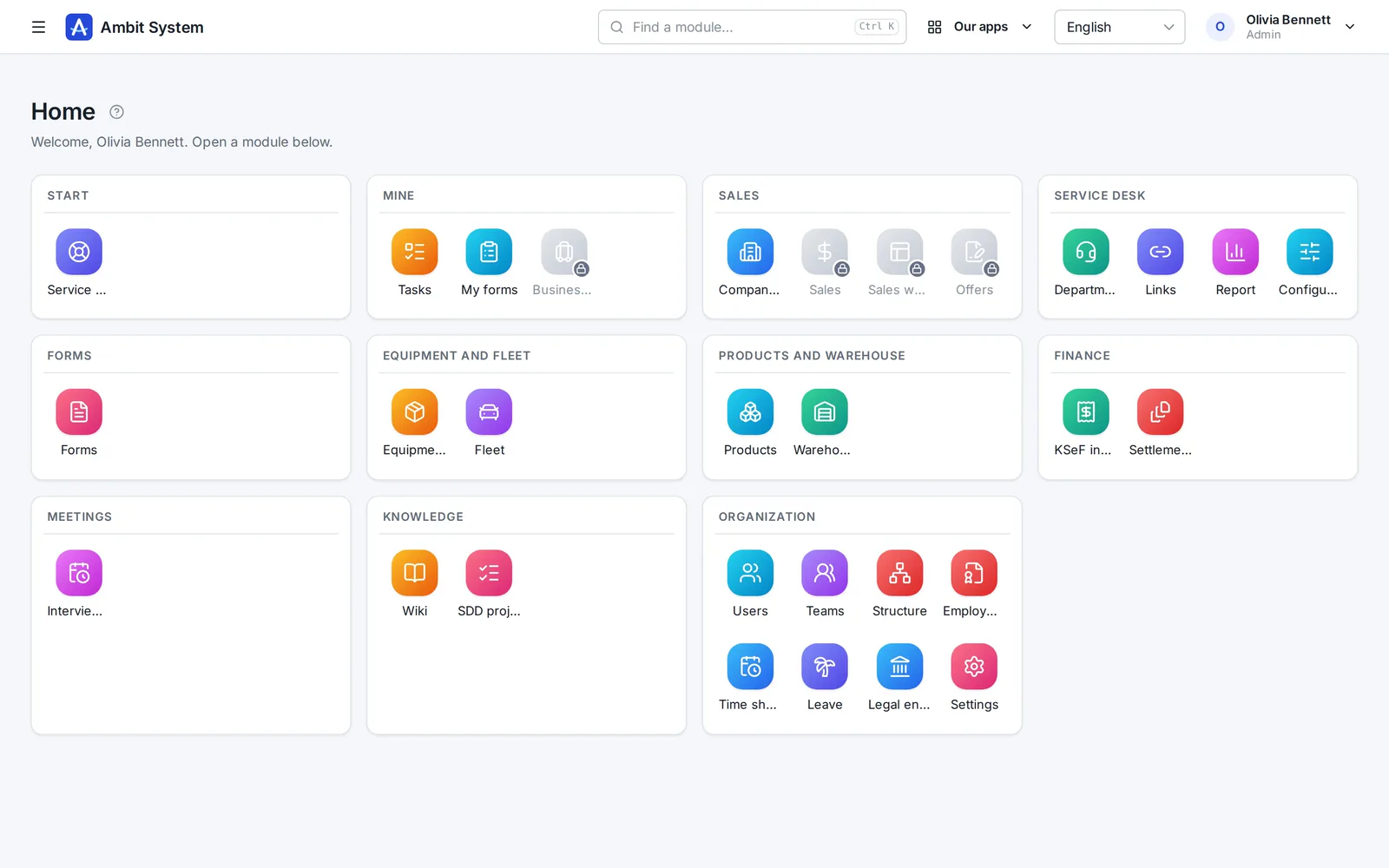
Het startscherm van het Ambit System-paneel: moduletegels per gebied gegroepeerd - verkoop, Service Desk, formulieren, uitrusting en wagenpark, producten en magazijn, financiën, kennis en organisatie.
The real panel on sample data
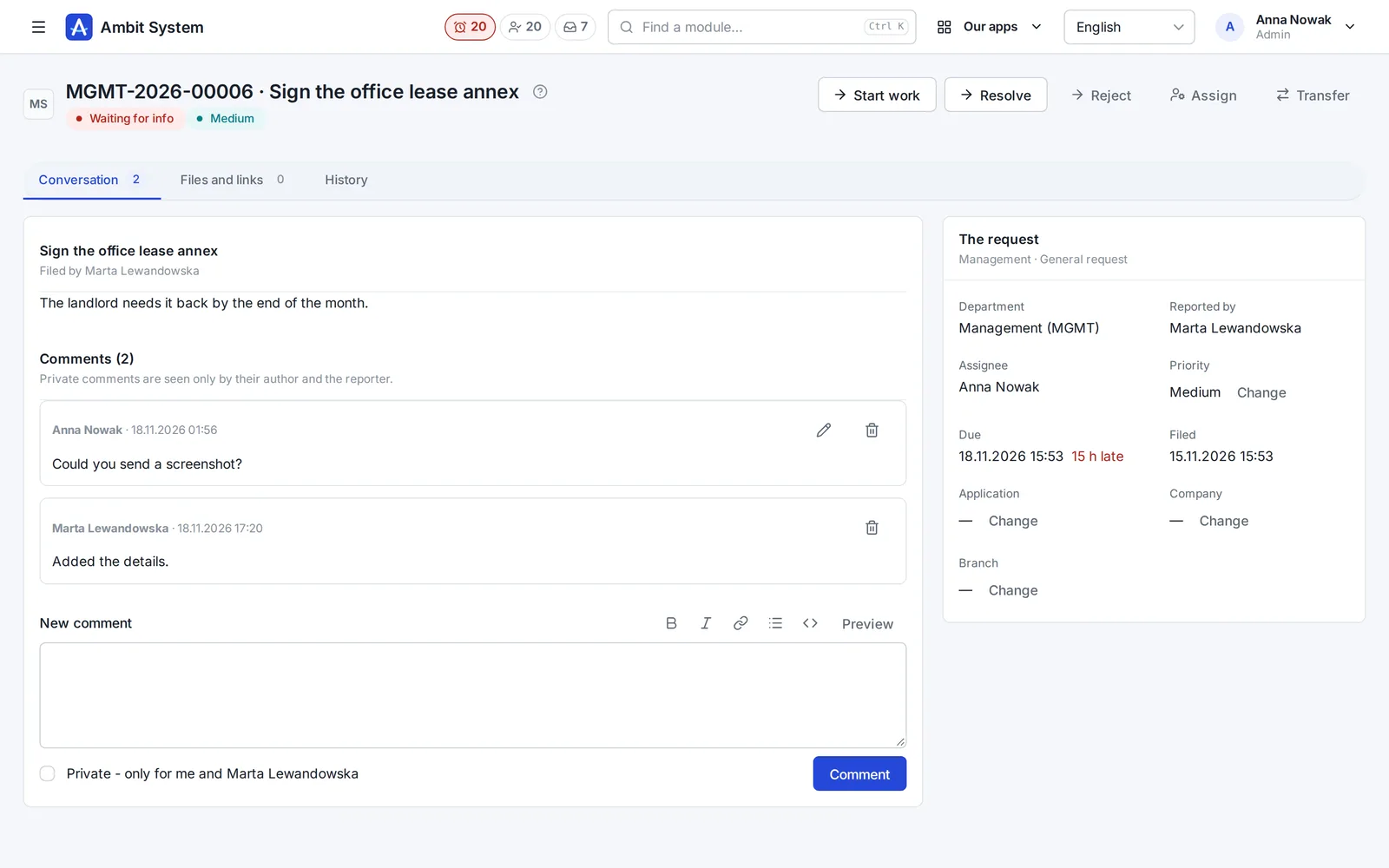
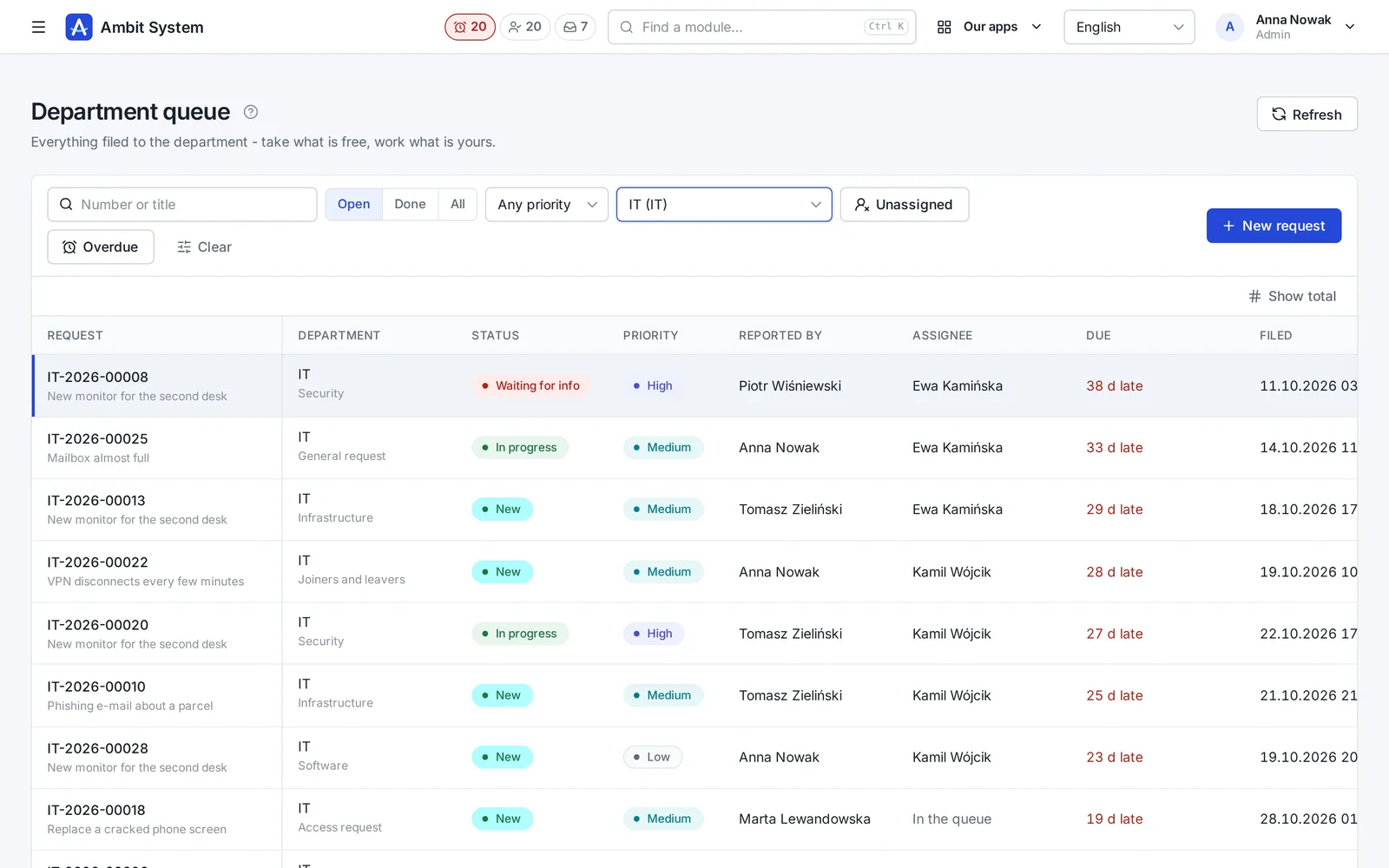
The Service Desk's department queue with request numbers, statuses and due times.
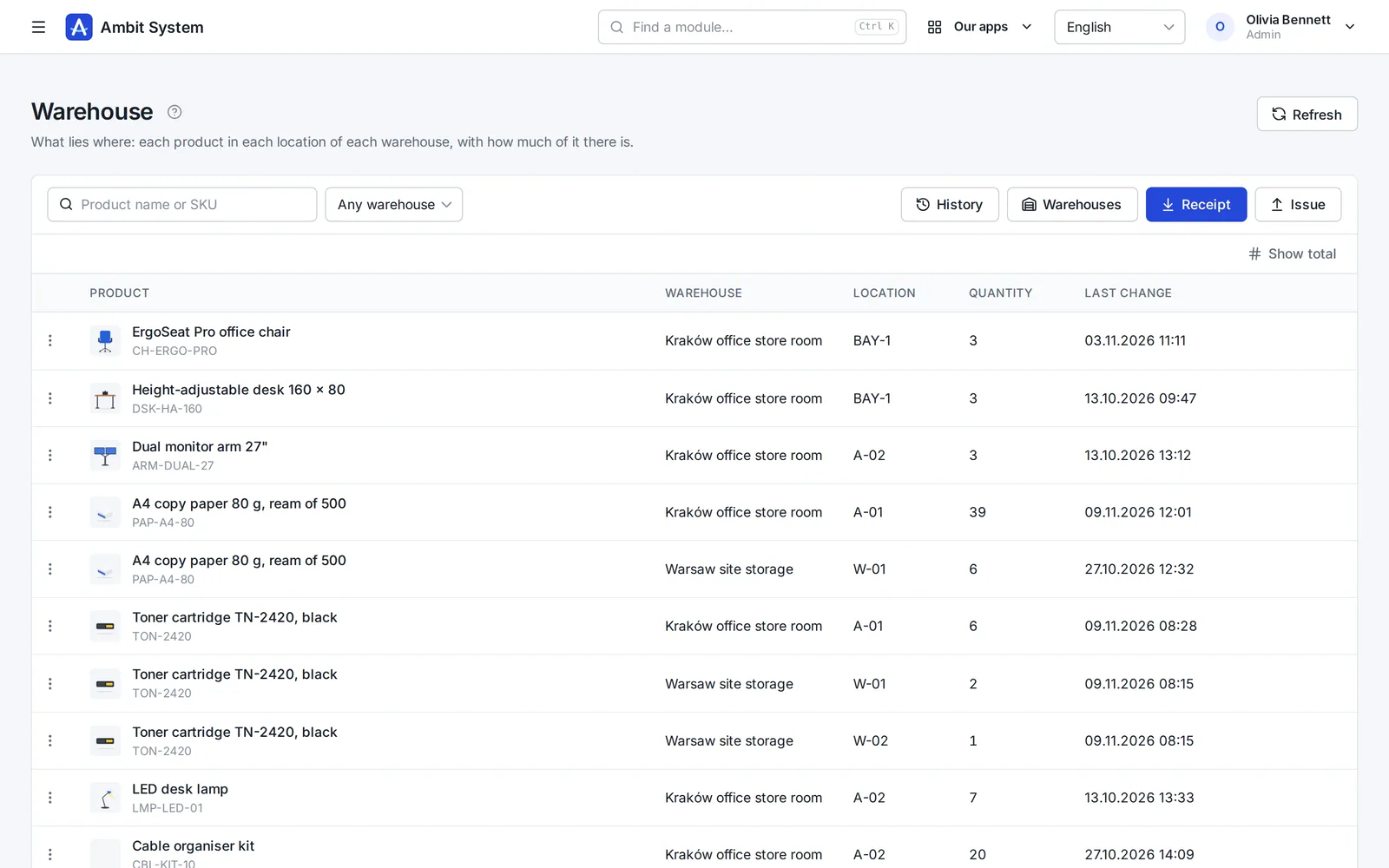
Warehouse stock: products per location with their quantities.
  • 5,000users in one organization
  • 1 priceper company, not per user
  • EUdata in a Warsaw data centre
  • 4interface languages: EN, PL, DE, FR
  • Livedemo, no sign-up

Why one system

Ten tools cost more than their invoices.

What happens in a company that runs on separate apps and spreadsheets - and what changes when the same data serves every team.

With separate toolsWith Ambit System
DataThe same people and clients typed into each app; nobody knows which list is current.One organization: users, departments and client companies shared by every module.
History“Who changed this?” - and no trace of it.Every change stored with its author and time, and never overwritten.
Hand-offsRequests and approvals forwarded by e-mail and chat.The org chart names the head: a request reaches the department's queue, hours reach the right approver.
AppsA separate login, set of roles and export for every tool.One sign-in with two-factor codes, one set of roles, one export of everything.
CostA fee per seat that grows with every hire.One price for the organization, up to 5,000 users - only modules change it.

One platform

Modules on shared data, not separate products.

Every module works inside the same organization: the same people, roles, departments and history. Adding one moves no data.

The product

Real screens, real modules.

Each module on a screenshot of the panel as it is today. Open its page for every screen, or try it in the demo.

  1. Organization

    Your company's shape - and its people's hours

    The org chart, the people and their access, the companies you trade through, and working time approved by the head the chart names.

    • An org chart of departments and sections, each with its head
    • Users with roles and teams, imported from a spreadsheet
    • Monthly time sheets approved by the person's head, ready for payroll
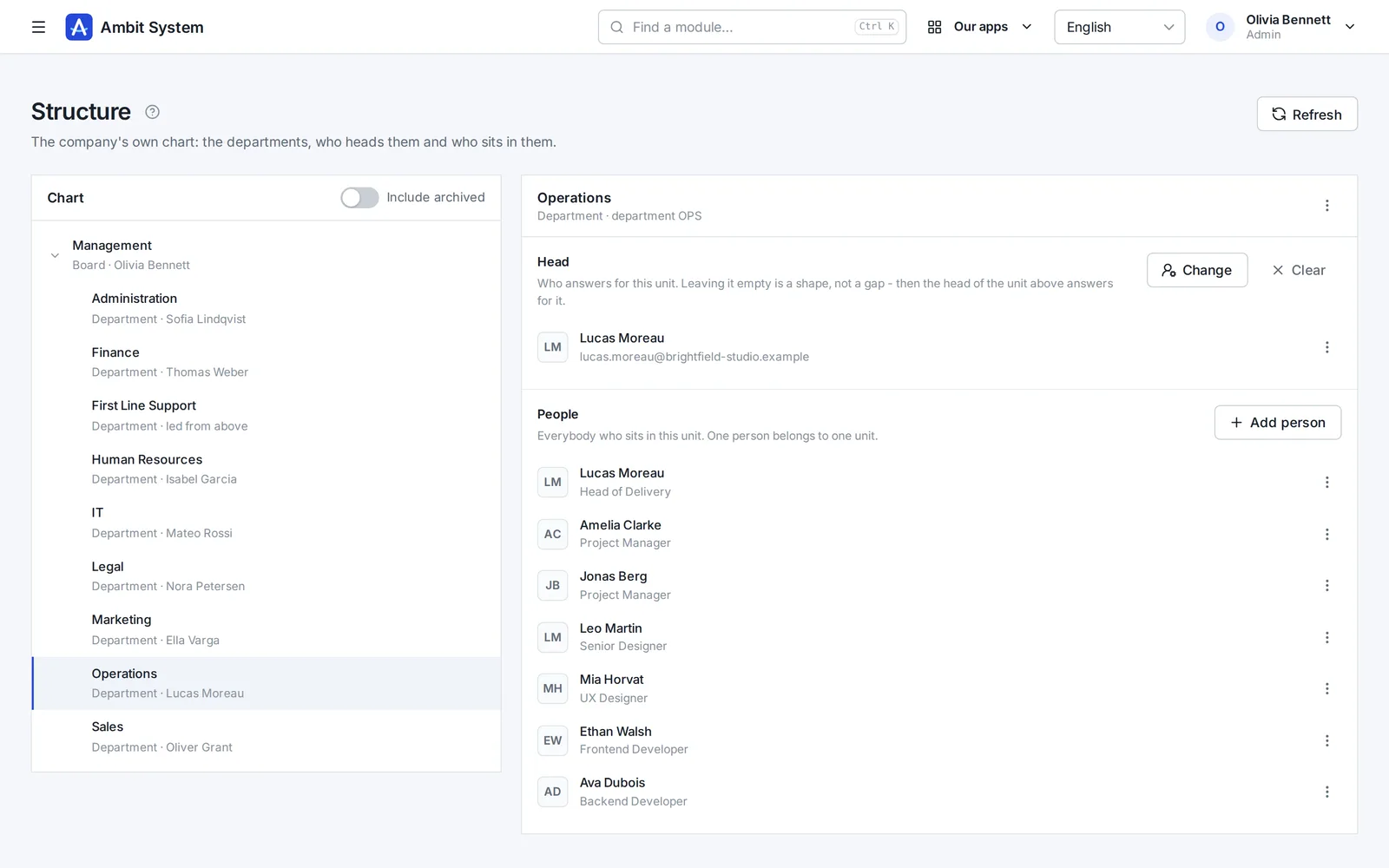
    The org chart: departments and sections with their heads and people.
    Sample data
  2. Service Desk

    Requests that reach the right desk - and get done

    No more "I sent you an e-mail last week". Every request to IT, HR, finance or the office has a number, a person who has it and a due time.

    • A portal where staff pick what they need and answer a few questions
    • A queue per department: unassigned, overdue, due within 12 hours
    • A conversation, files and the full history on the request itself
    The Service Desk's department queue: requests with number, status, priority and due time.
    Sample data
  3. Sales

    Every deal on one board - and the next step always planned

    Clients and tasks come with every plan. The Sales module adds the pipeline: deals with their value, activities, the next step and the offers made for them.

    • A pipeline board from New to Won, with the value of every column
    • Calls, e-mails and meetings logged on the deal
    • Offers with a number and a PDF, made from the deal
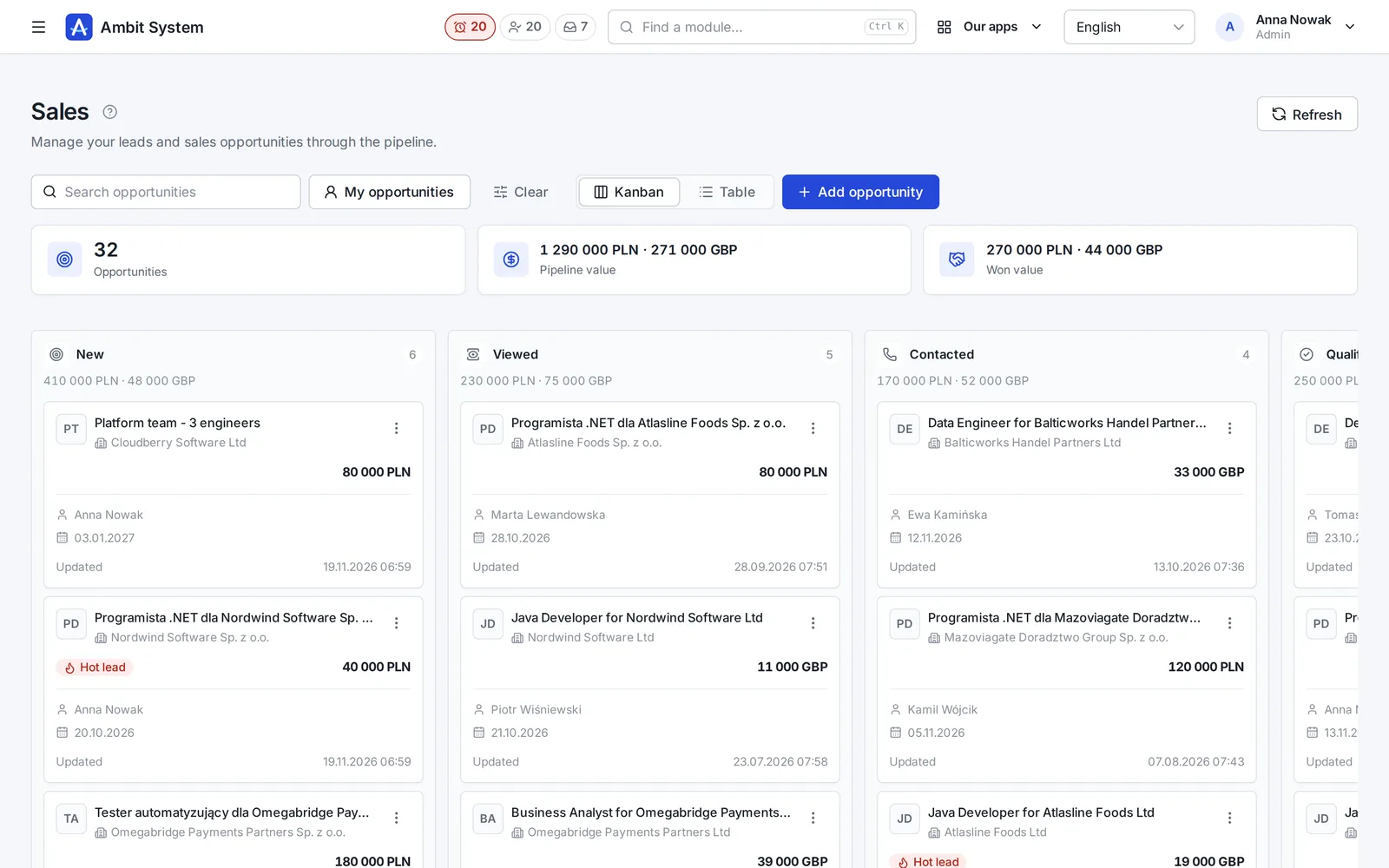
    The sales pipeline board: deals in stages with their value and close date.
    Sample data
  4. Products and Warehouse

    What you keep, where it lies, and how much of it is left

    A product catalogue of your own, and a simple warehouse on top of it: every receipt, issue, transfer and correction saved with who, when and the quantity before and after.

    • Products with SKU, brand, manufacturer, weight and pictures
    • Stock per warehouse and location, never below zero
    • A history nobody edits, and a check that rebuilds the stock from it
    Warehouse stock: products per location with quantities.
    Sample data
  5. Equipment and Fleet

    Know who has which laptop - and which car

    The company's things one piece at a time and its cars, each with its status, holder and the history of every handover.

    • Laptops, phones, tools and clothing with serial and inventory numbers
    • Company cars with their status, repair shop and leasing
    • Handovers and returns, with the condition, mileage and fuel on record
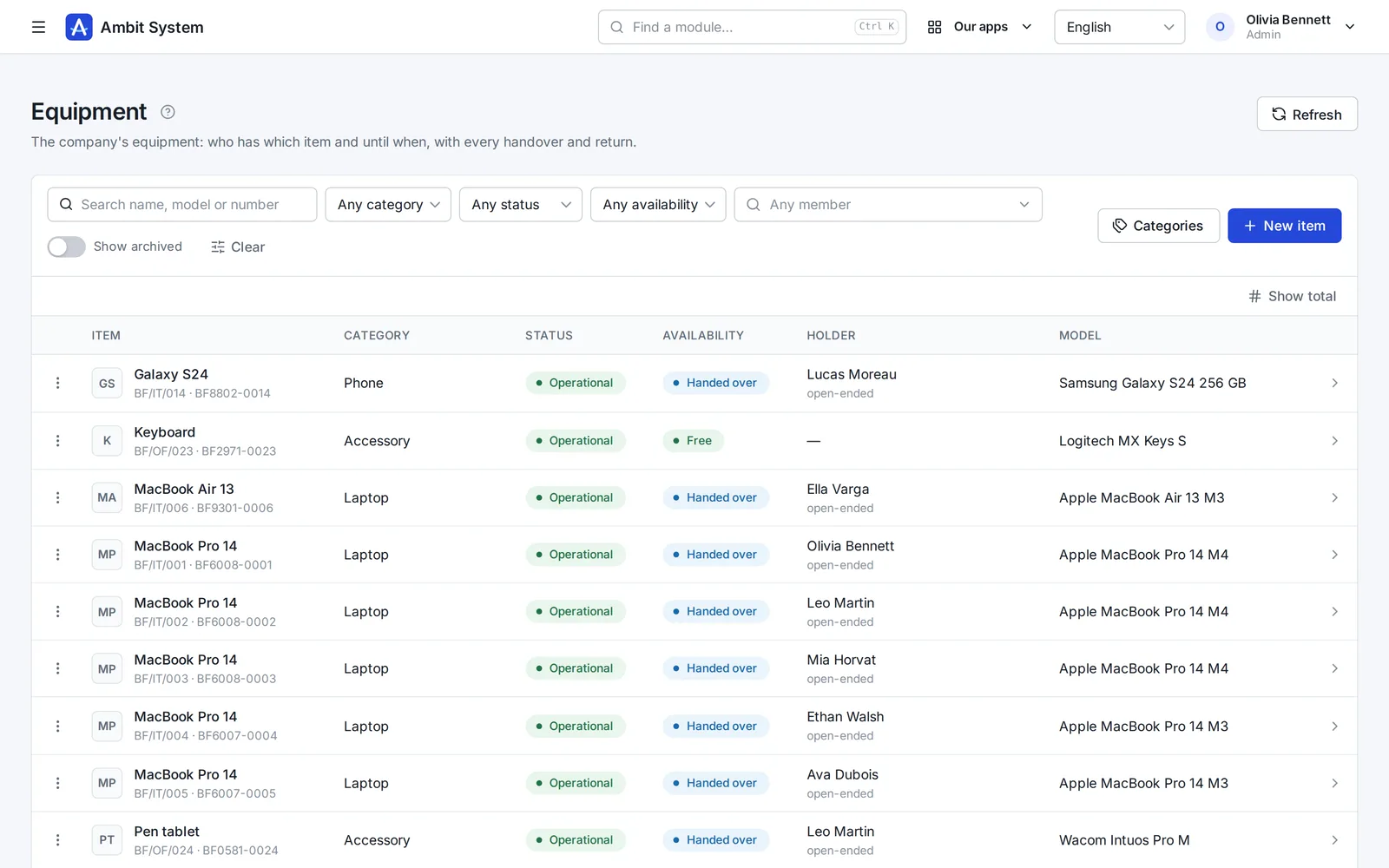
    The equipment register: items with category, status and holder.
    Sample data
  6. KSeF and settlement documents

    Every cost in one place - from KSeF and from outside it

    Purchase invoices arrive from KSeF on their own; foreign invoices, policies and bills go next to them, each with its due date.

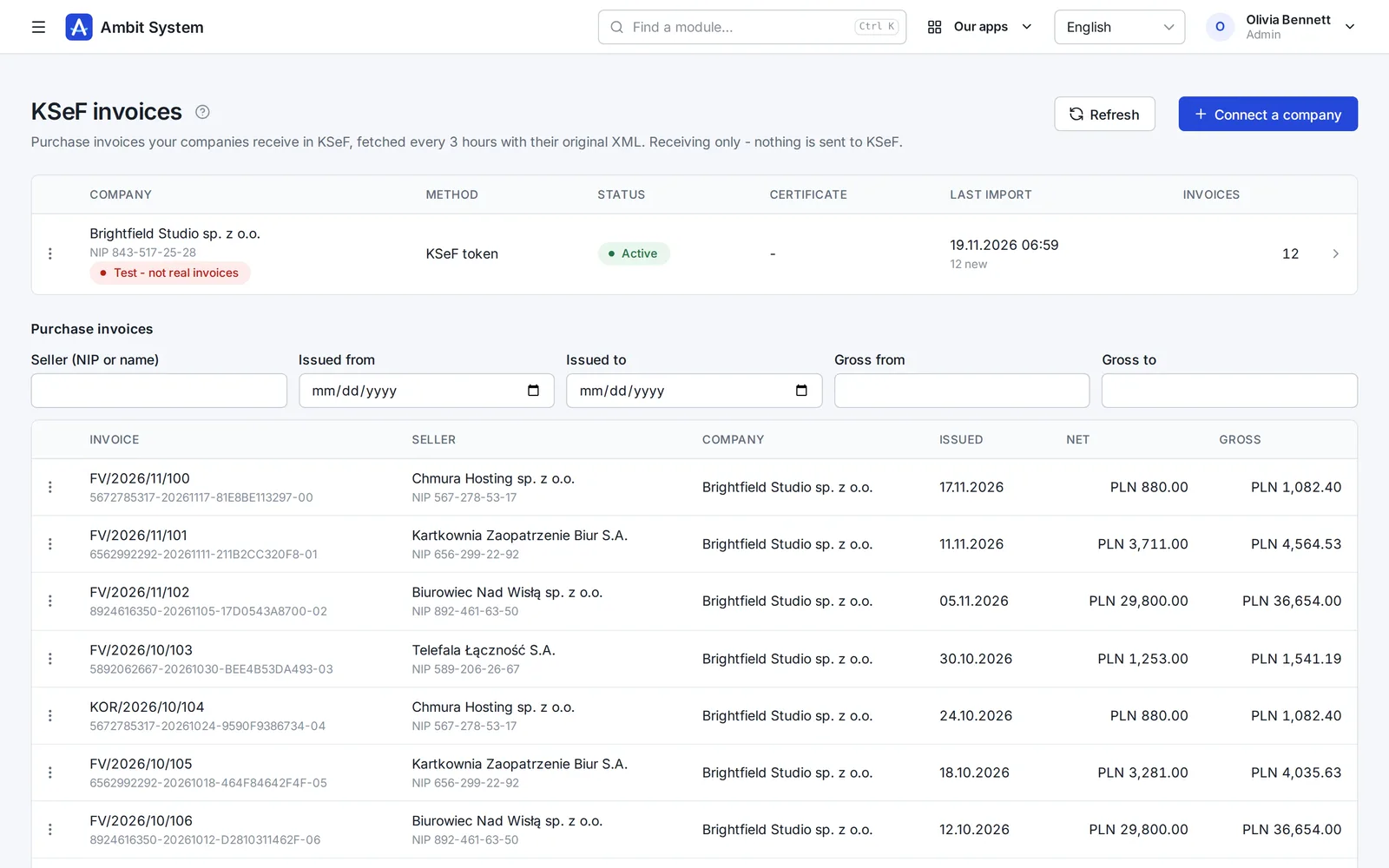
    • Purchase invoices fetched from KSeF every 3 hours, with the original XML
    • Costs outside KSeF with their files, due dates and a paid flag
    • A reminder the day before a payment is due
    KSeF purchase invoices fetched for a company, with amounts and dates.
    Sample data
  7. Forms

    Surveys and requests your people fill in themselves

    Build a form in the panel, publish it, and every member of your organization finds it under My forms.

    • Pages, ten kinds of question and the rules for each answer
    • Filled in by each person, or for them by Admin or HR
    • Every response in one list, kept with the version it was given to
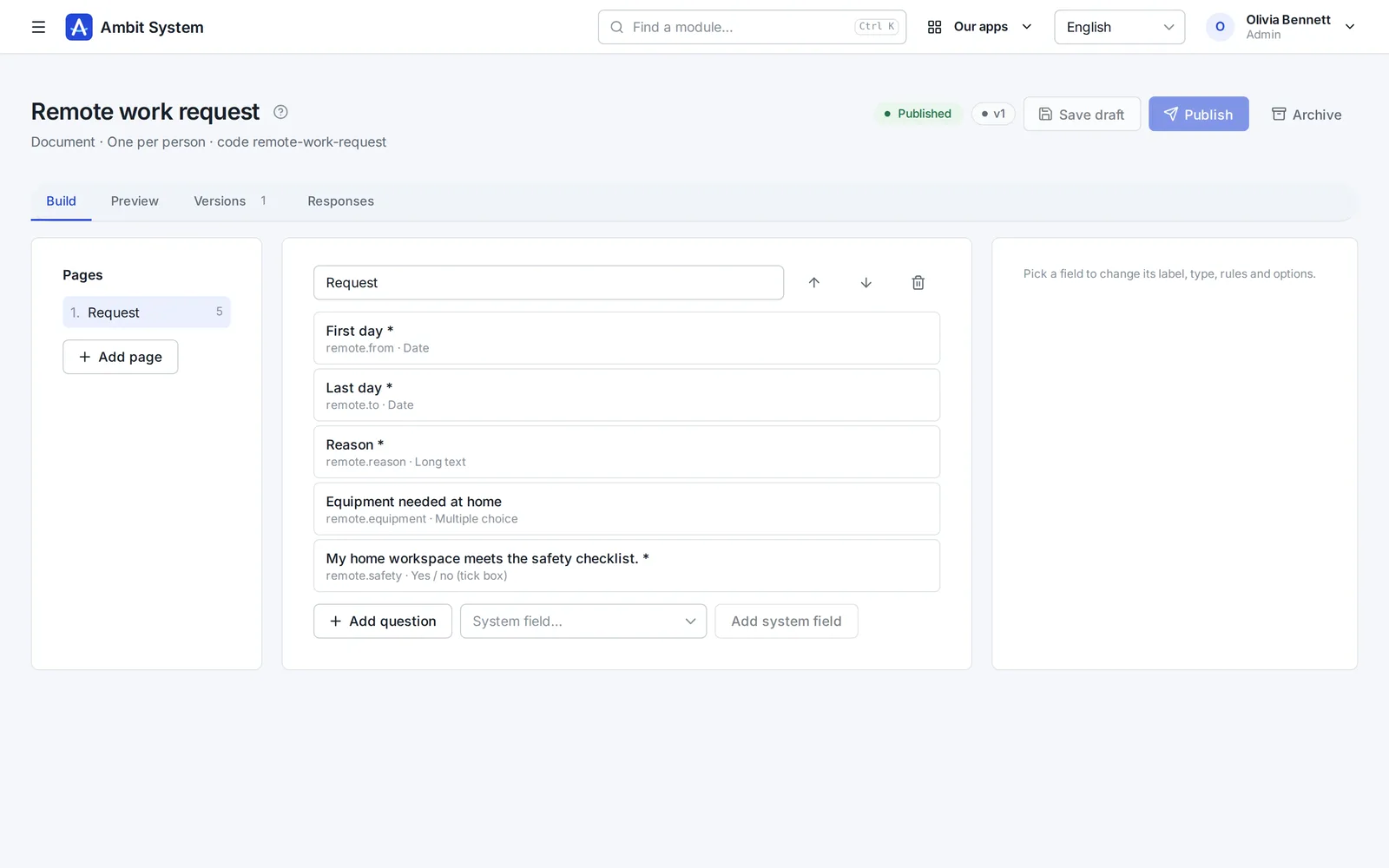
    The form builder: pages and questions of a form.
    Sample data
  8. Time tracking

    Hours recorded monthly, approved by the right head

    Employment and monthly time sheets for your own people. The supervisor comes from the org chart - nobody types one in.

    • Employment with its type, hours and rates
    • A month's time sheet filled in day by day
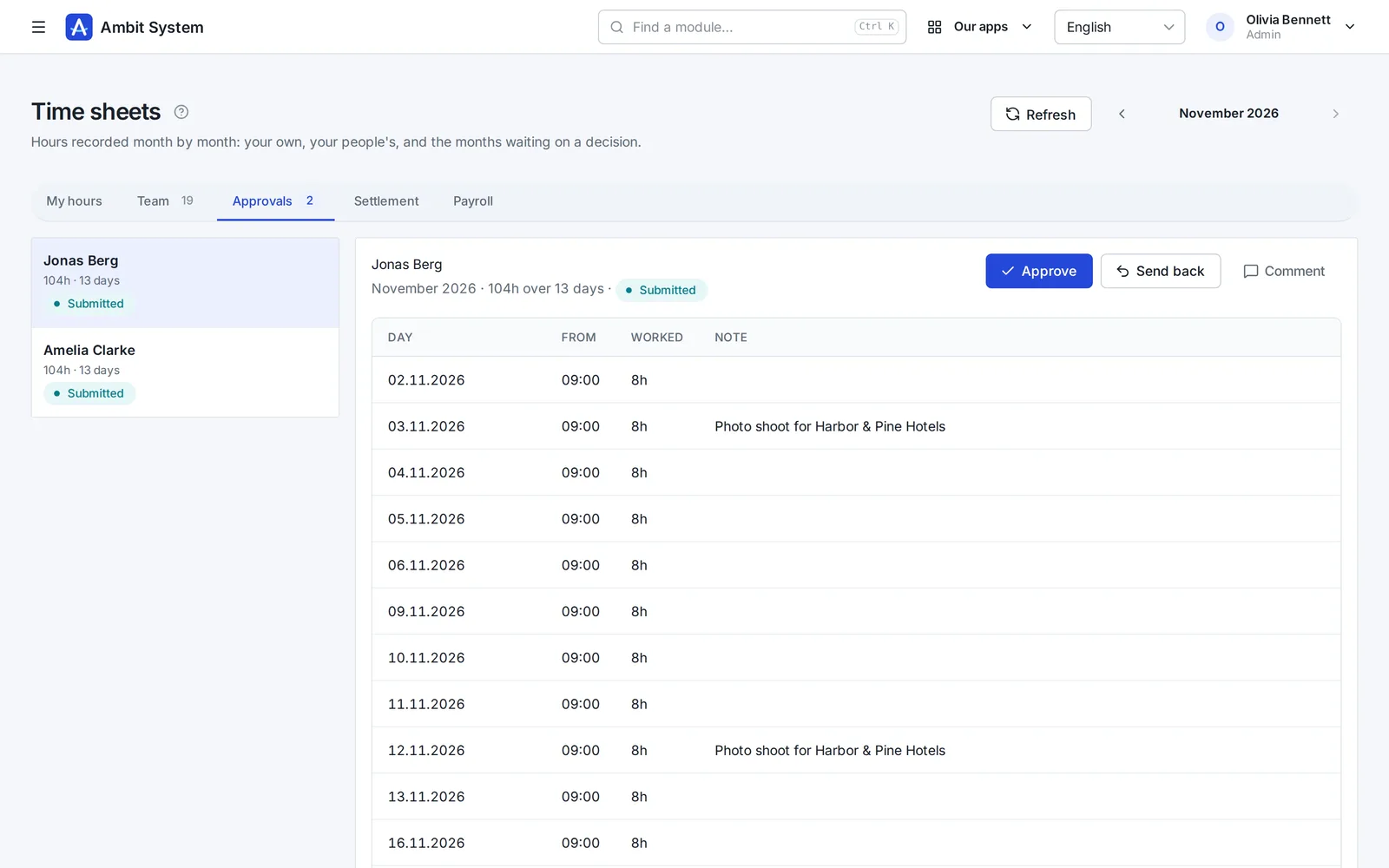
    • Approval by the person's head from the org chart
    • A payroll list for the month and an export of the settled month
    Time sheets waiting for the head's approval.
    Sample data

Modules working together

One request, four modules, one history.

An example of how a laptop reaches a new employee. Every screen below exists today; the steps between them are done by people, in one system instead of five.

  1. Service Desk

    The employee files a request

    On the portal: “Request hardware”, what is needed and why. It gets a number and lands in the IT queue.

  2. Service Desk

    The department decides

    The IT queue's people take it, ask questions in the conversation and set its status. The decision stays on the request.

  3. Warehouse

    The warehouse issues the item

    An issue from a location, with the request's number as its document number. Stock before and after is recorded.

  4. Equipment

    The item is handed over

    The laptop is handed to the employee with a planned return date. It shows under their equipment.

  5. History

    Everything stays on record

    Request, movement and handover - each with who and when, in the same organization.

Invullen met AI

Een eerste versie van de offerte, geschreven om te controleren.

In het concept van een offerte schrijft één knop de inleiding, de voorwaarden en voorgestelde regels - naam, eenheid en aantal - op basis van de klant, de verkoopkans en een paar woorden over wat de klant nodig heeft. In de HR-versie schrijft hij ook vacatures en functieomschrijvingen en vertaalt hij vacatures. In de wiki schrijft of verbetert hij een pagina op basis van uw notities, en in SDD maakt hij een opzet van de reikwijdte en de acceptatiecriteria van een specificatie.

Wat hij doet

  • Vult een leeg concept of verbetert wat er al staat; Ongedaan maken zet terug wat u had
  • Wat hij schrijft, komt in het formulier om te lezen en te verbeteren - er wordt niets bewaard tot u opslaat
  • 1 tot 3 credits per keer, naar de lengte; een geweigerd of leeg antwoord kost niets
  • Credits uit het maandelijkse AI-pakket, of uit eenmalig gekochte pakketten die nooit vervallen

Wat hij nooit doet

  • Zet geen prijzen, btw-tarieven of kortingen - een regel met een prijs blijft zoals hij is ingevuld
  • Leest geen gegevens van kandidaten of medewerkers - alleen wat u invult - de klant en de verkoopkans, de wikipagina of het SDD-project - en uw notitie
  • Is geen chat: één knop, één formulier, één antwoord

Pricing

One price per company. Not per user.

10 people or 5,000 - the amount stays the same. It changes only when you add modules, and you see it before you talk to anyone.

  • Up to 5,000 users and 5 million CRM clients
  • Monthly, or yearly at a discount
  • No fixed term, cancel any time, export all your data

BASIC from

…/ maand netto

  • 10 gebruikers…
  • 100 gebruikers…
  • 1.000 gebruikers…
  • 5.000 gebruikers…

Security

Your data is protected at every step.

A selection of what is built in - the full list, described the way it works, is on the security page.

  • Two-factor sign-in
  • Single sign-on
  • Switching an account off works at once
  • Permissions by role
  • Every organization's data is kept apart
  • Candidates' data under the GDPR
  • Export of all data
  • The event log
  • Data in the European Union
  • Service status in public
  • SLA: a critical failure fixed within 3 hours
  • A daily database backup
Security and continuity

Two versions

For any company - and a version of its own for staffing agencies.

The same platform, the same security and one price per company. The HR version adds what an agency needs.

Ambit System

Service companies, production and firms with a fleet: start with BASIC and add the modules you need.

  • The org chart, people and time tracking
  • Requests, equipment, cars and the warehouse
  • CRM, offers, KSeF invoices
Explore modules

Ambit HR for agencies

Staffing and recruitment agencies: from the client and recruitment through postings, housing and hours to the pro forma - every module included.

  • Recruitment, candidates and interviews
  • Projects, workers, postings and housing
  • Hours at clients and pro formas
See the HR version
The home screen of the HR version with recruitment, projects, workers and housing modules.

Vragen

Voordat u het vraagt

Betaal ik voor elke gebruiker?

Nee. De prijs geldt voor de hele organisatie: tot 5.000 gebruikers en 5 miljoen klanten in het CRM.

In welke valuta betaal ik?

Bedrijven in Polen betalen in zloty, bedrijven in alle andere landen in euro. Paddle stuurt de factuur met de btw van uw land.

Wat is Paddle.com en hoe werkt betalen?

Paddle.com is het bedrijf dat ons systeem namens ons verkoopt - veel softwarebedrijven gebruiken het. Betalen kan alleen via Paddle.com - we sluiten geen aparte contracten en sturen geen eigen facturen. U betaalt daar met kaart, PayPal, Apple Pay of Google Pay, en uw organisatie is klaar zodra de betaling rond is. De factuur met de btw van uw land stuurt Paddle. Het abonnement verlengt zich vanzelf elke maand of elk jaar, totdat u het opzegt: via de link in de e-mail van Paddle of met een bericht aan ons, en het systeem blijft werken tot het einde van de betaalde periode.

In welke talen is het systeem beschikbaar?

Het panel waarin uw team werkt, is in het Engels, Pools, Duits en Frans. Deze pagina is in uw taal, zodat u het makkelijker leert kennen.

Waar staan mijn gegevens?

In de Europese Unie, in een datacenter in Warschau.

Is er een verwerkersovereenkomst (AVG)?

Ja. De verwerkersovereenkomst is onderdeel van de voorwaarden (artikel 12) en geldt vanaf de aankoop, zonder iets apart te tekenen. Uw gegevens staan in de Europese Unie, in een datacenter in Warschau.

Kan ik later een module toevoegen?

Ja. Modules voegt u op elk moment toe; uw organisatie en haar gegevens blijven waar ze zijn.

Kunnen we een eigen, aparte omgeving krijgen?

Nee. Elke organisatie werkt op het gedeelde platform, met haar gegevens gescheiden van die van anderen.

Wat gebeurt er met onze gegevens als u stopt met Ambit System?

Uw beheerder kan op elk moment een export aanvragen. Wij zetten alles klaar wat de organisatie heeft - de geschiedenis van elke wijziging, de actuele gegevens en de bestanden - als één ZIP-bestand in een open formaat (JSON), en mailen een downloadlink. Niets bindt u.

Heeft u SSO, een SLA of een certificering zoals ISO 27001?

Een SLA, ja: een kritieke storing - het systeem onbereikbaar, of een kernfunctie die voor iedereen niet werkt - wordt binnen 3 uur opgelost (8:00-22:00 Poolse tijd), een storing in de nacht 's ochtends vóór 11:00. Elke dag, ook in het weekend en op feestdagen. Dat staat in de voorwaarden (artikel 10), niet alleen op een webpagina. We controleren het systeem elke minuut van buitenaf, en de status is openbaar op status.ambitsys.eu. SSO, ja: uw mensen kunnen inloggen met Microsoft 365, Google Workspace of Keycloak (zie de volgende vraag). ISO 27001 hebben we nog niet, en we doen niet alsof - die staat op de roadmap op de pagina Beveiliging en continuïteit.

We hebben geen eigen e-maildomein - kunnen we het toch gebruiken?

Nee. U registreert zich met uw zakelijke e-mailadres en uw mensen loggen in met adressen in dat domein. Nog geen eigen domein? We helpen u het in te richten. Schrijf ons

Kan mijn team inloggen met Microsoft 365 of Google Workspace?

Ja. Een beheerder koppelt zelf de eigen aanmelding van uw bedrijf - Microsoft 365, Google Workspace, Keycloak of een andere OpenID Connect-provider - in de Instellingen, zonder onze hulp; de stappen per provider staan op de pagina. Uw mensen loggen in met hun werkaccount via de eigen link van uw organisatie. Alleen mensen die u hebt toegevoegd komen binnen, tenzij u toestaat dat bij de eerste aanmelding een account wordt aangemaakt voor adressen in de e-maildomeinen van uw bedrijf.

Hoe werken AI-credits?

"Invullen met AI" kost 1 tot 3 credits per keer, naar de lengte van wat het schrijft; een antwoord dat de AI weigerde, of zonder iets bruikbaars, kost niets. Credits komen op twee manieren: het maandelijkse AI-pakket geeft elke maand 100, en wat over is vervalt aan het eind van die maand; pakketten van 100, eenmalig in het panel gekocht, vervallen nooit - bij elk plan, ook in de HR-versie. De maandelijkse credits gaan eerst op. Een beheerder ziet het saldo en het gebruik van de laatste 30 dagen op de planpagina.
See what your company can run on one system.

The demo opens at once: a sample company with data in every module. No sign-up, no password.